
One companion for every character you fly: intel by jumps, alerts that name the character, a HUD over EVE, the map, pilot tracking, damage, wallets and assets.
No hostiles within 5 jumps. Last report 4m ago.
- MSMira SolIshtar, ratting
- TRTovan ReyesIshtar, ratting
- ALAshe LindqvistRetriever, mining
- DPDoran PikeNoctis, salvaging
- KVKael VaroIshtar, ratting
your 5 in 1DQ1-A Focus
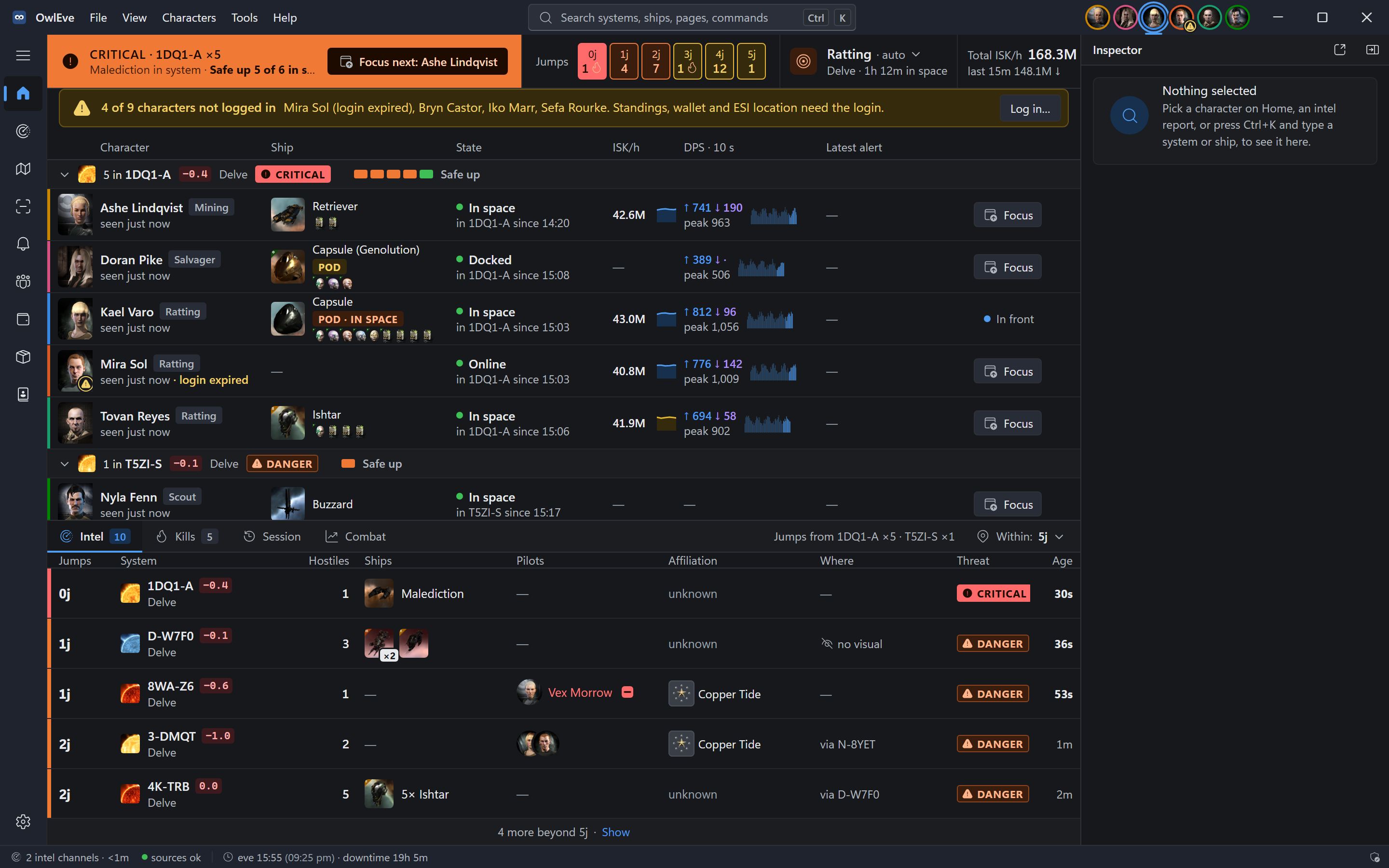
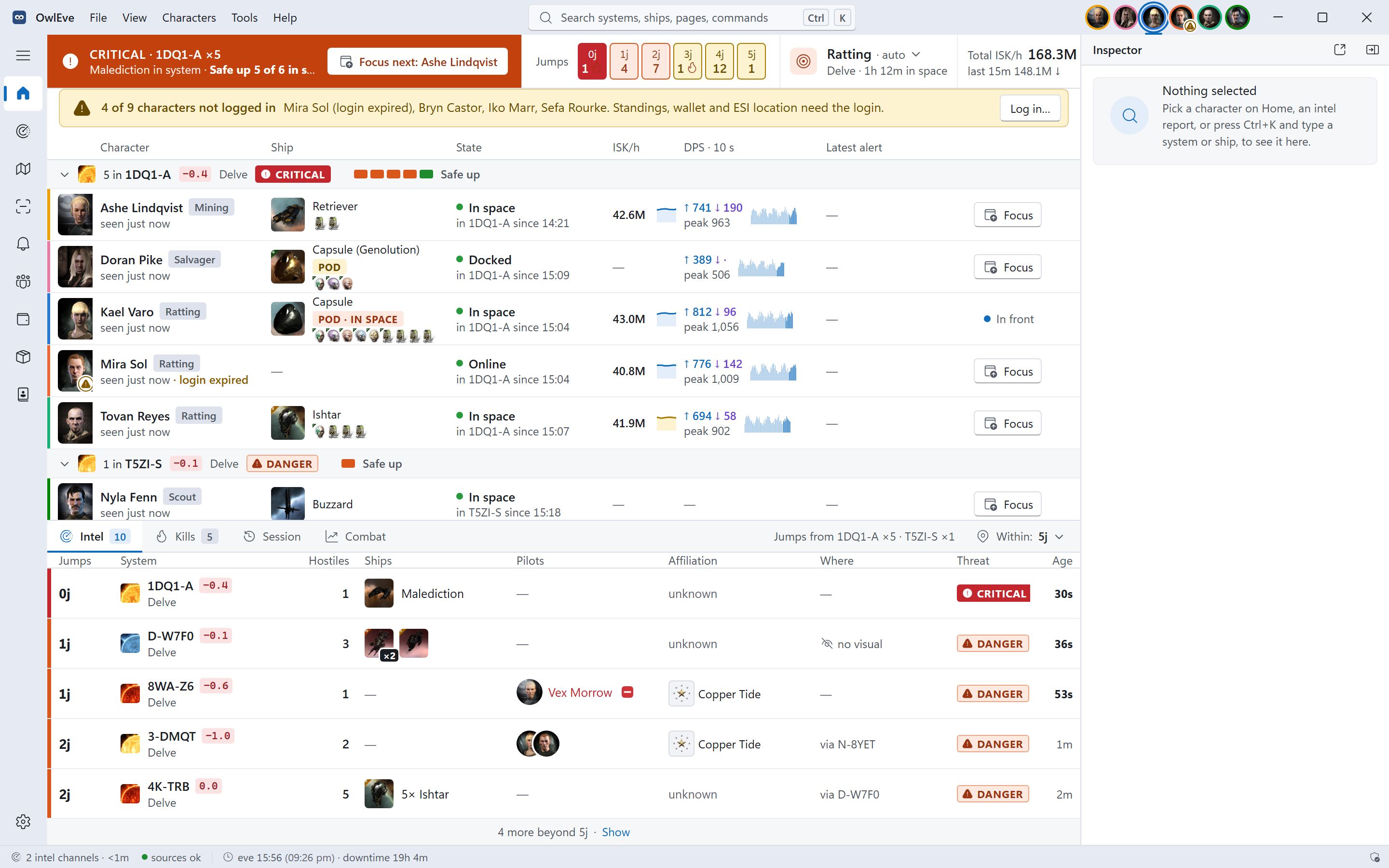
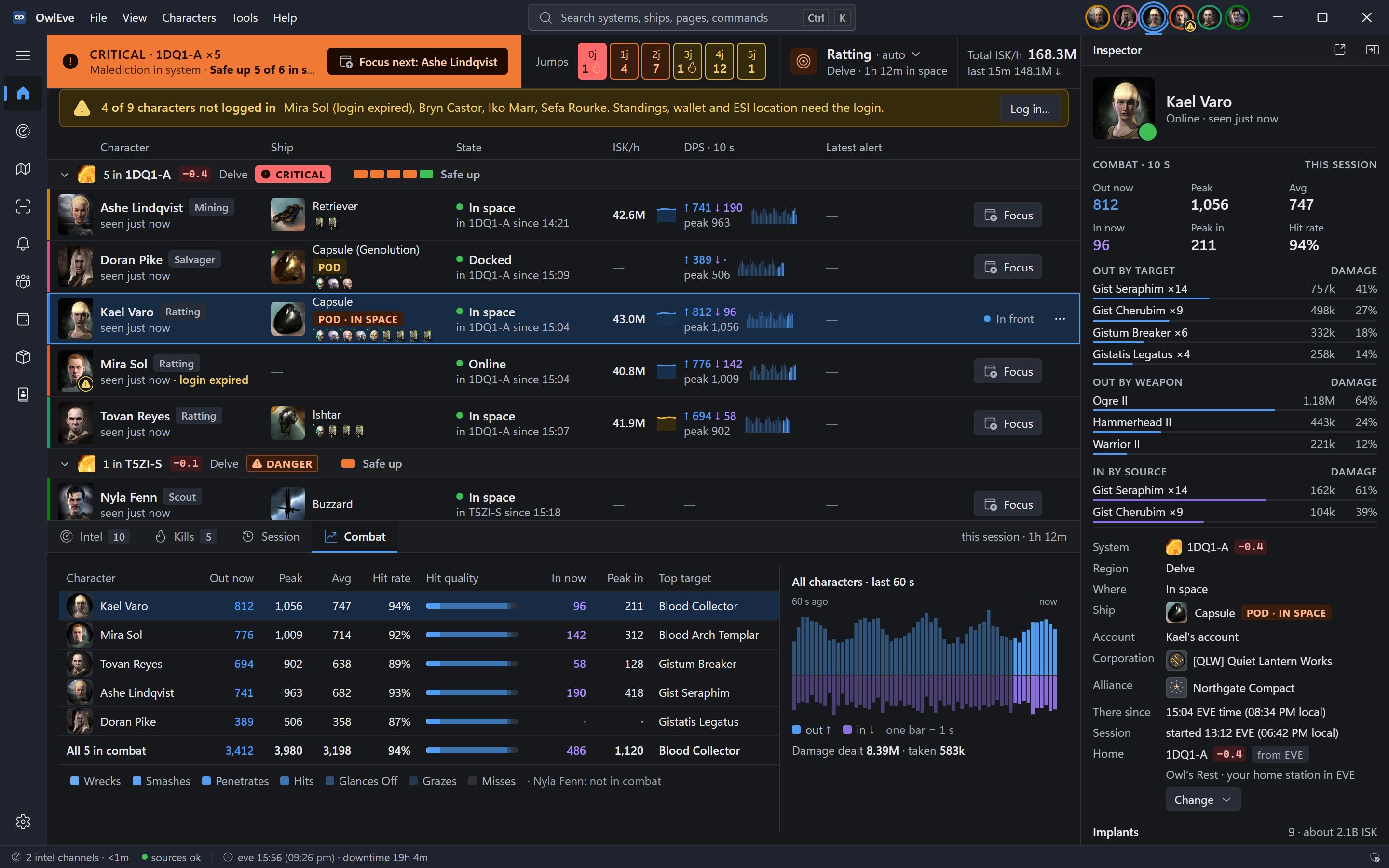
All on one screen. Every character grouped by system, with ship, state and latest alert.
Counted in jumps. Each intel report is placed on the map, with how far it is from every character.
Alerts that say who. Sound, voice, the HUD and Windows notifications, each naming the character.
Hands off the client. Logs, ESI, the clipboard and window titles. Never input, memory or your screen.
Every page, up close.
Pick a point and the screenshot zooms to it, or let each tour play.
Home
Every character, one screen.
Built for five or six clients at once, so the one in trouble never hides in another window.
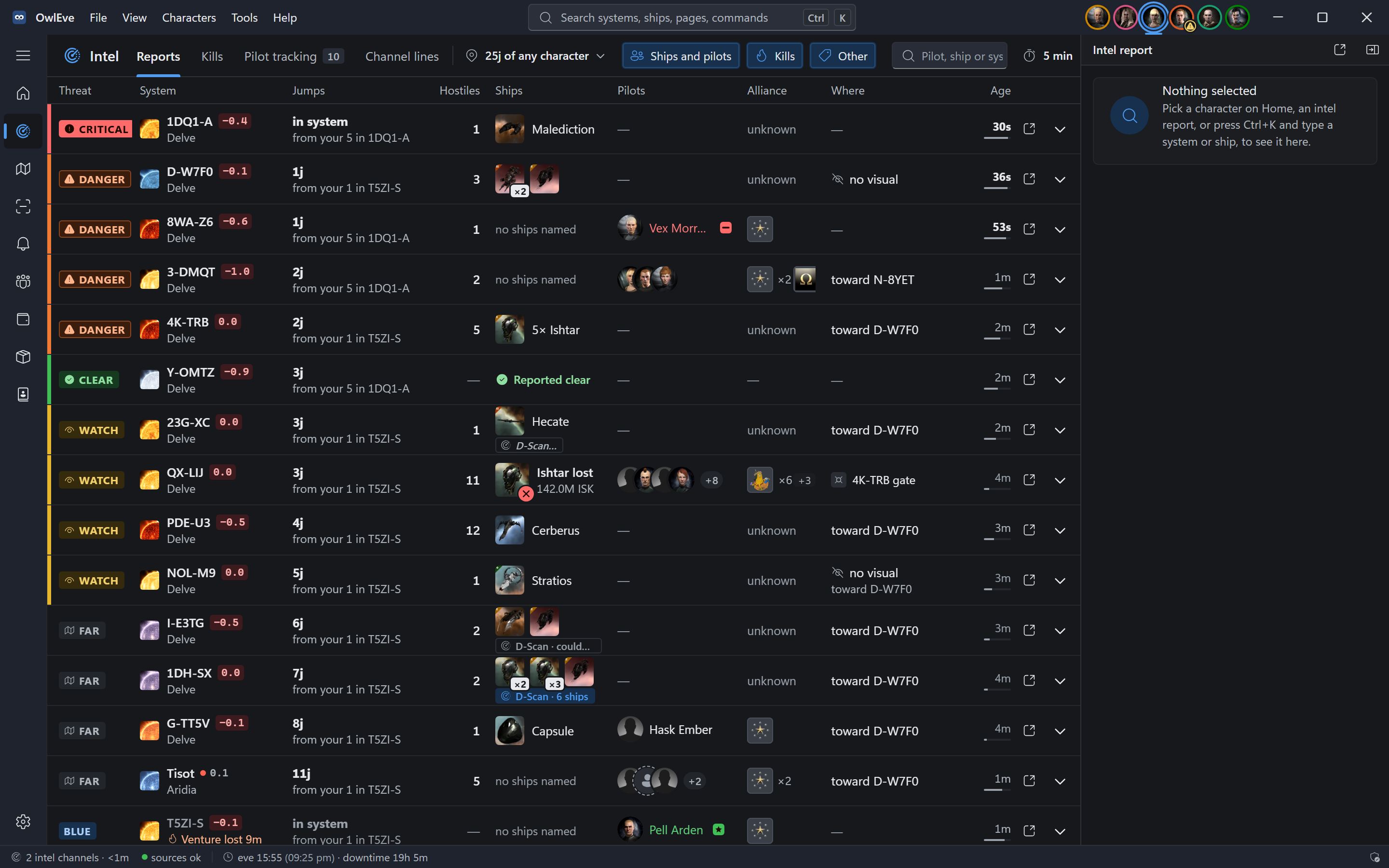
Intel
Your intel channels, read for you.
Reports as your intel channels type them, turned into systems, ships, pilots and distances the moment they arrive.
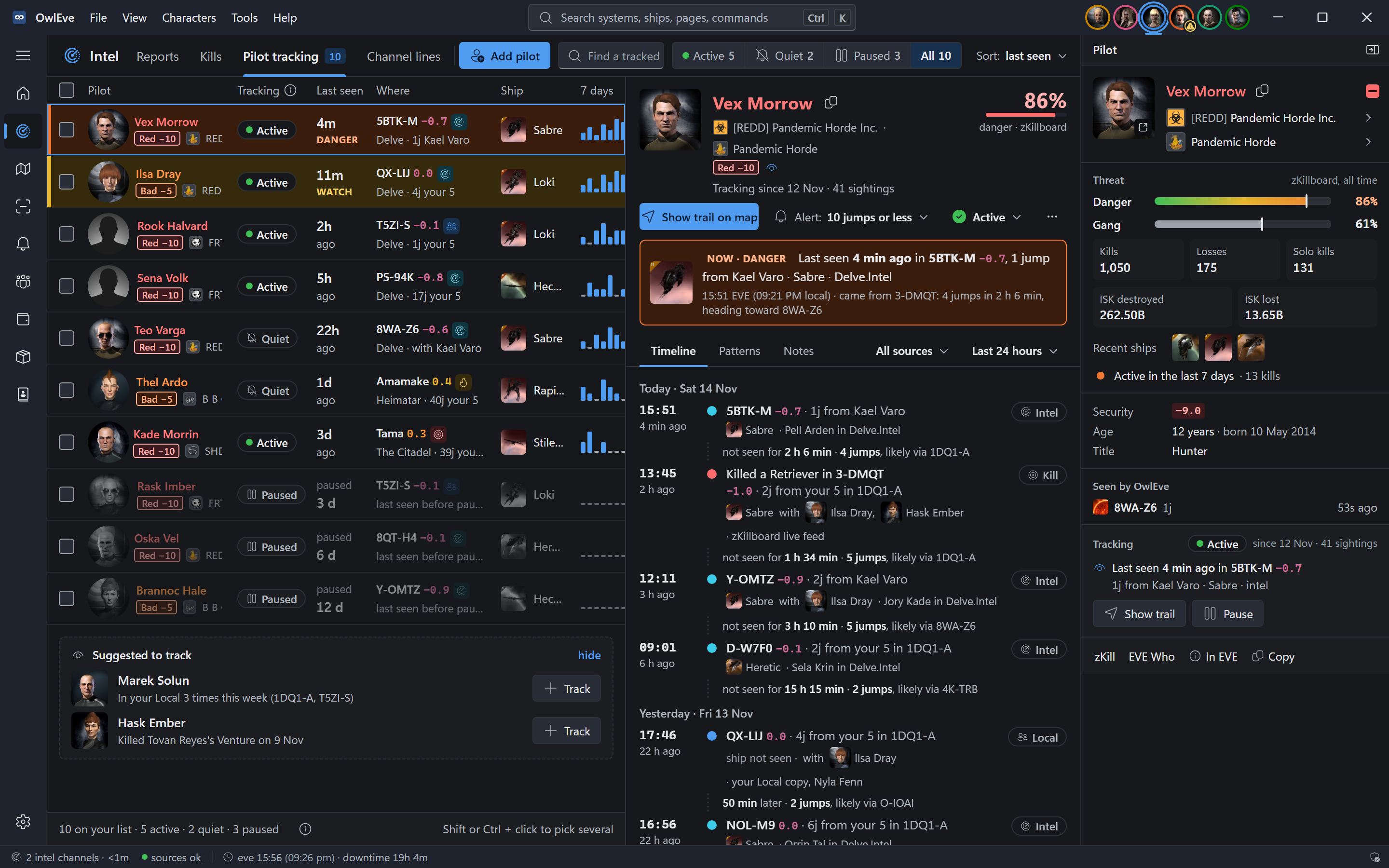
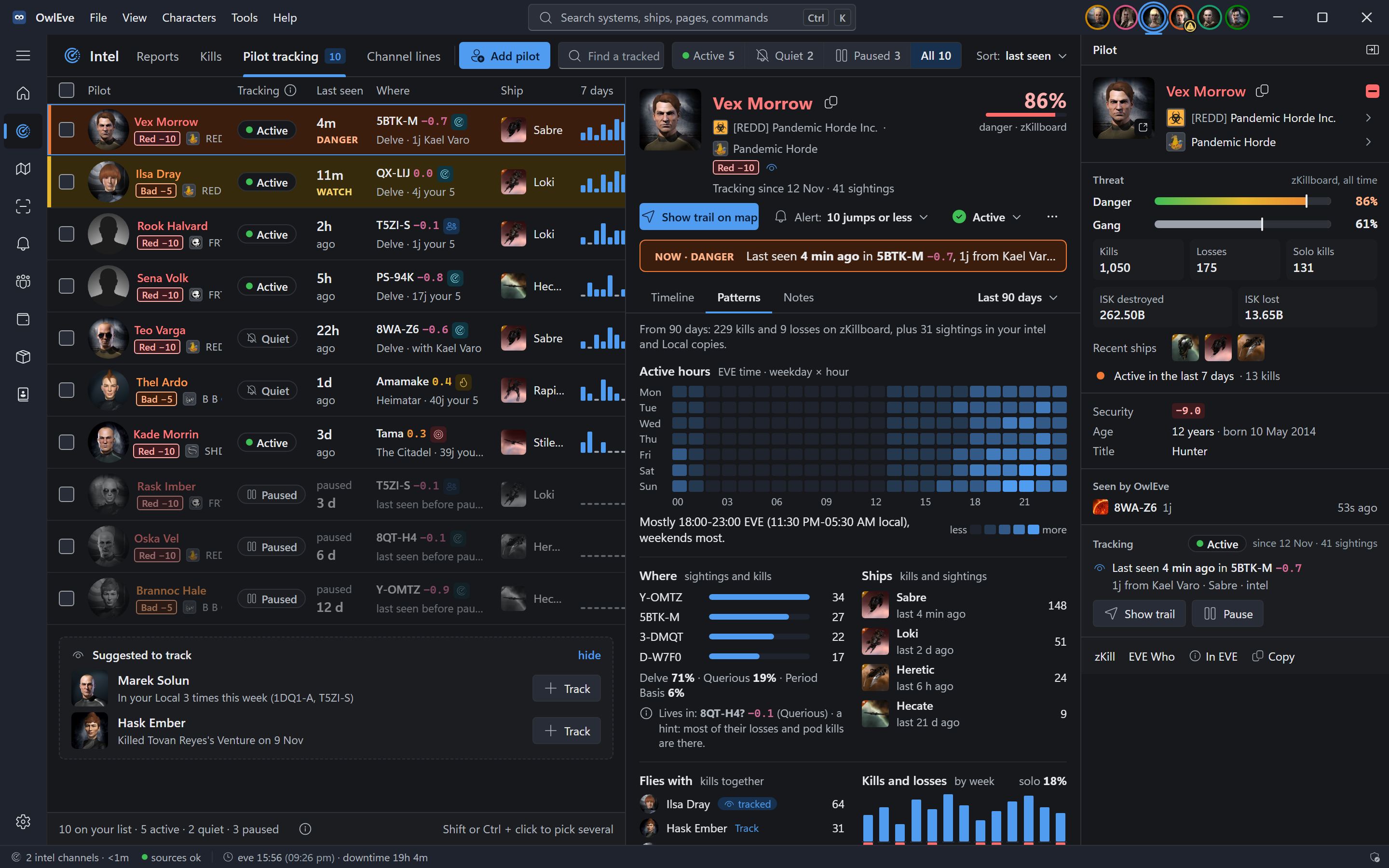
Tracking
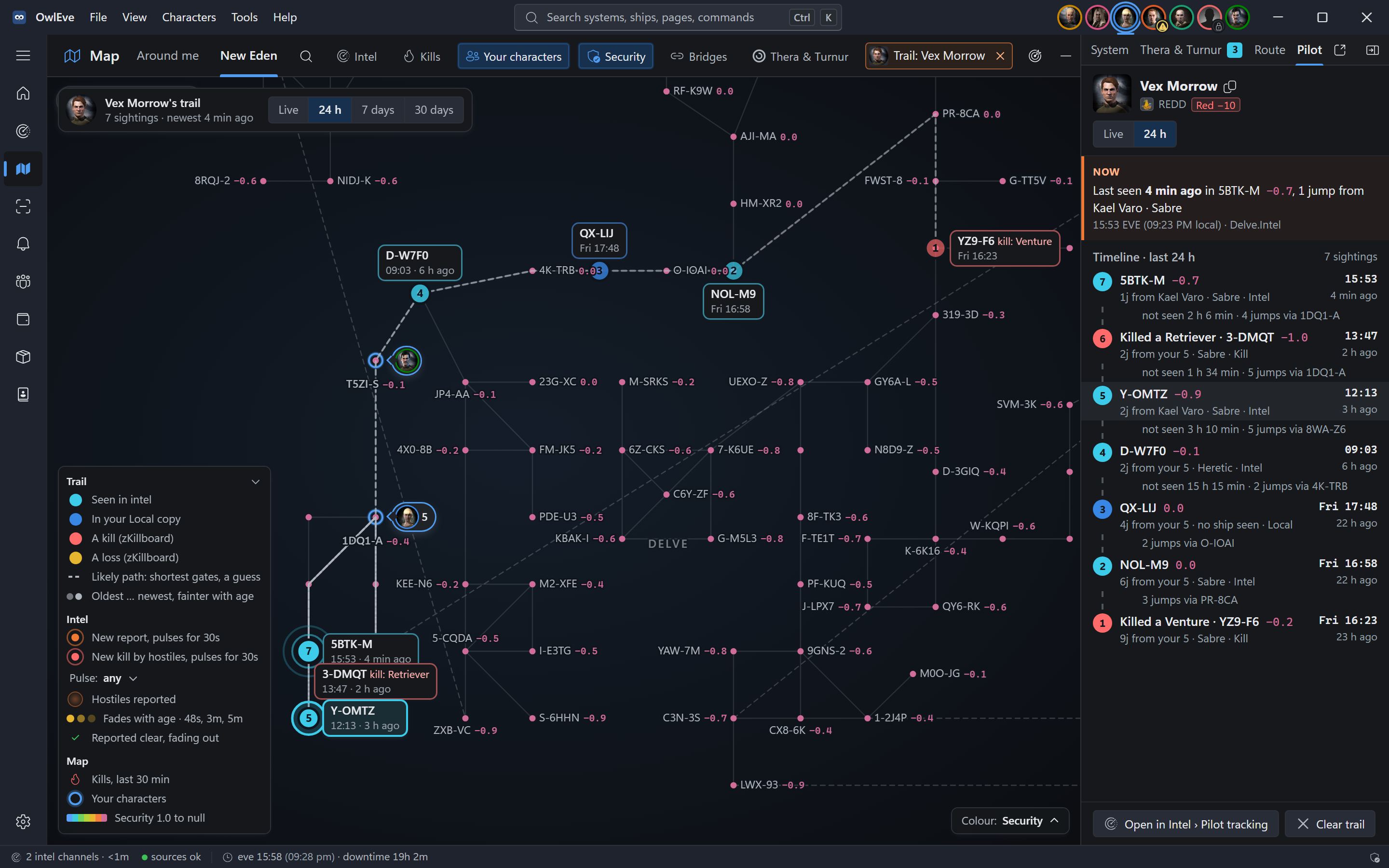
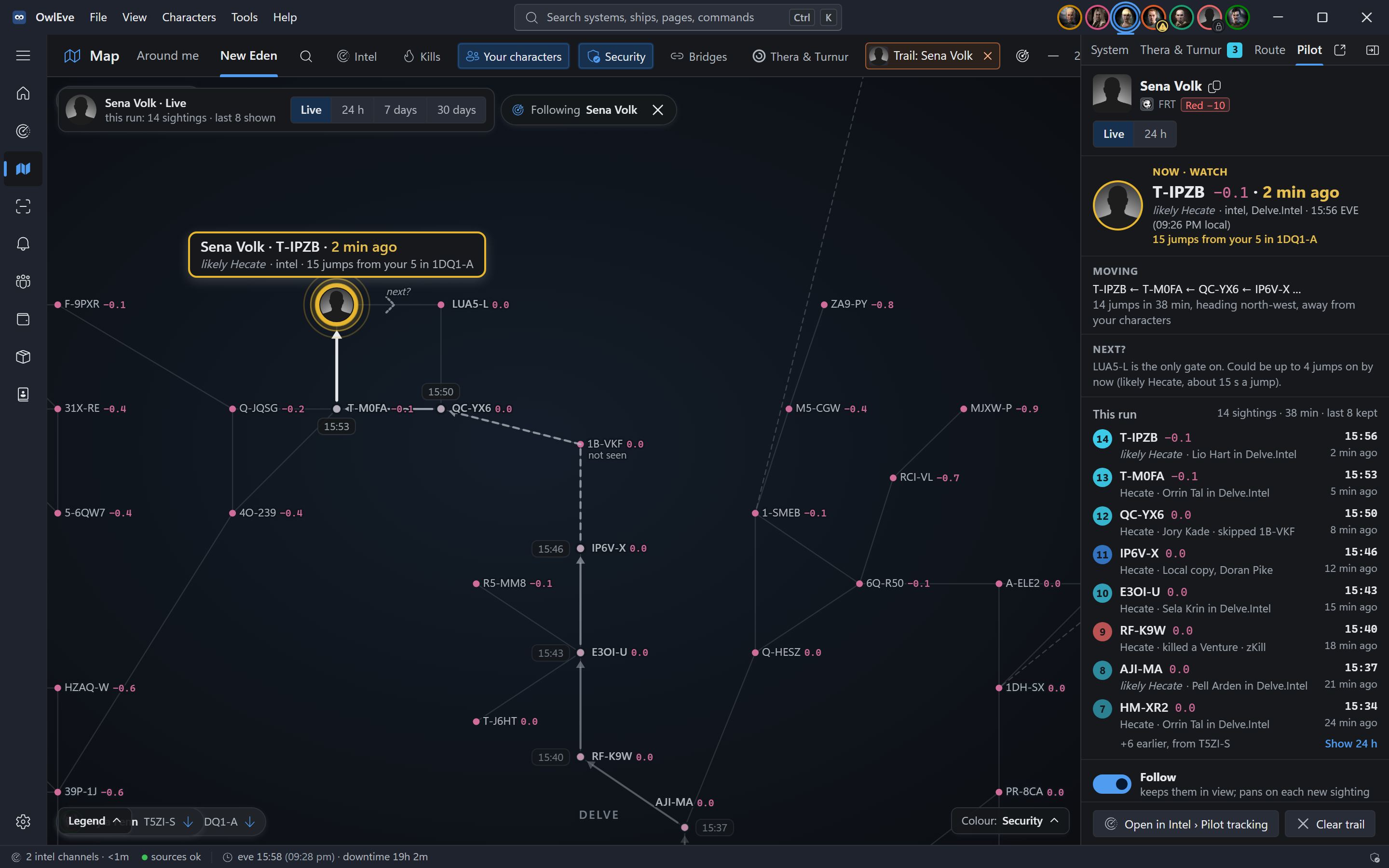
Keep tabs on the hunters.
Track a pilot and OwlEve keeps every sighting from your intel, your Local copies and zKillboard. It shows where they were seen, when and in what.
Map
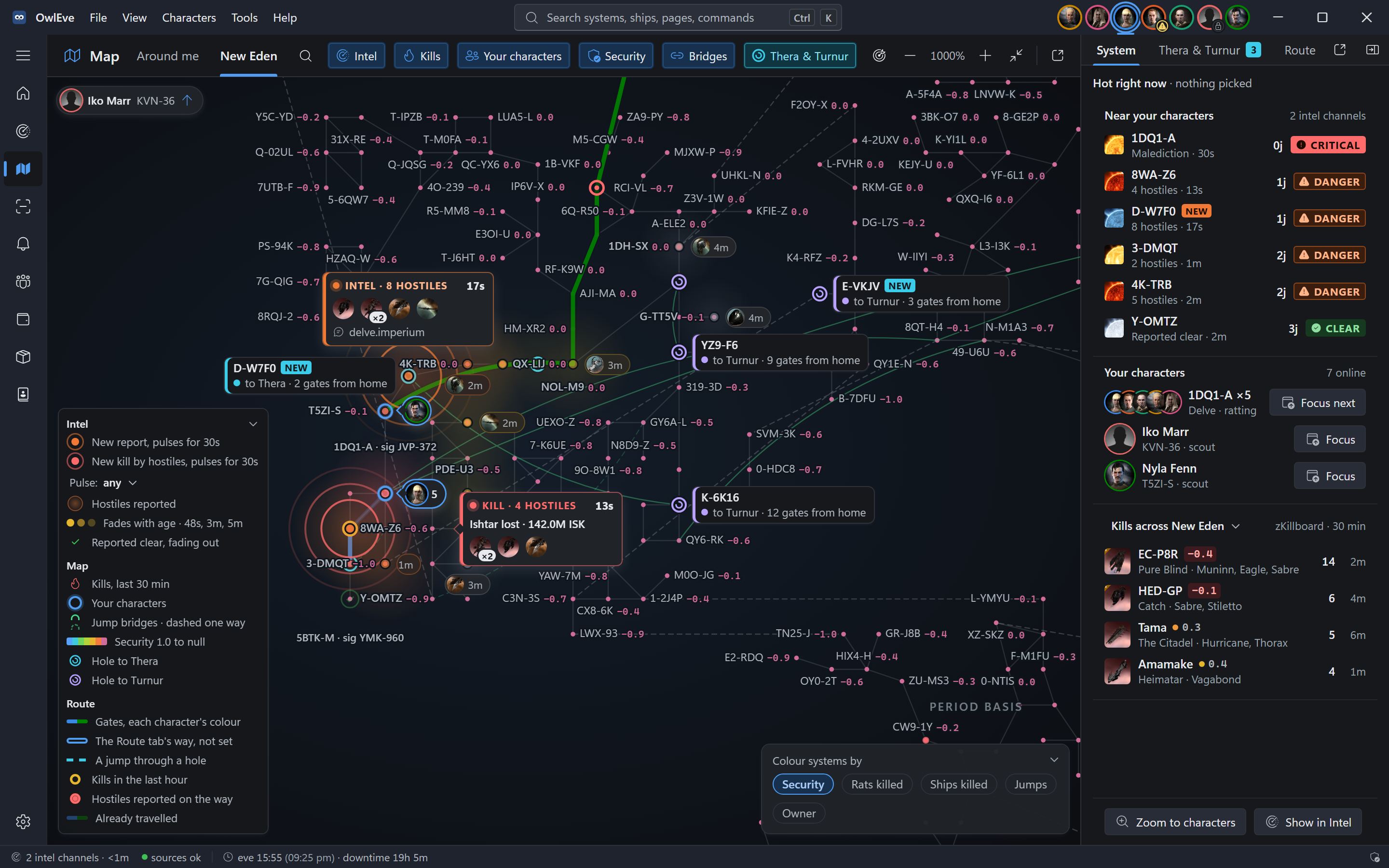
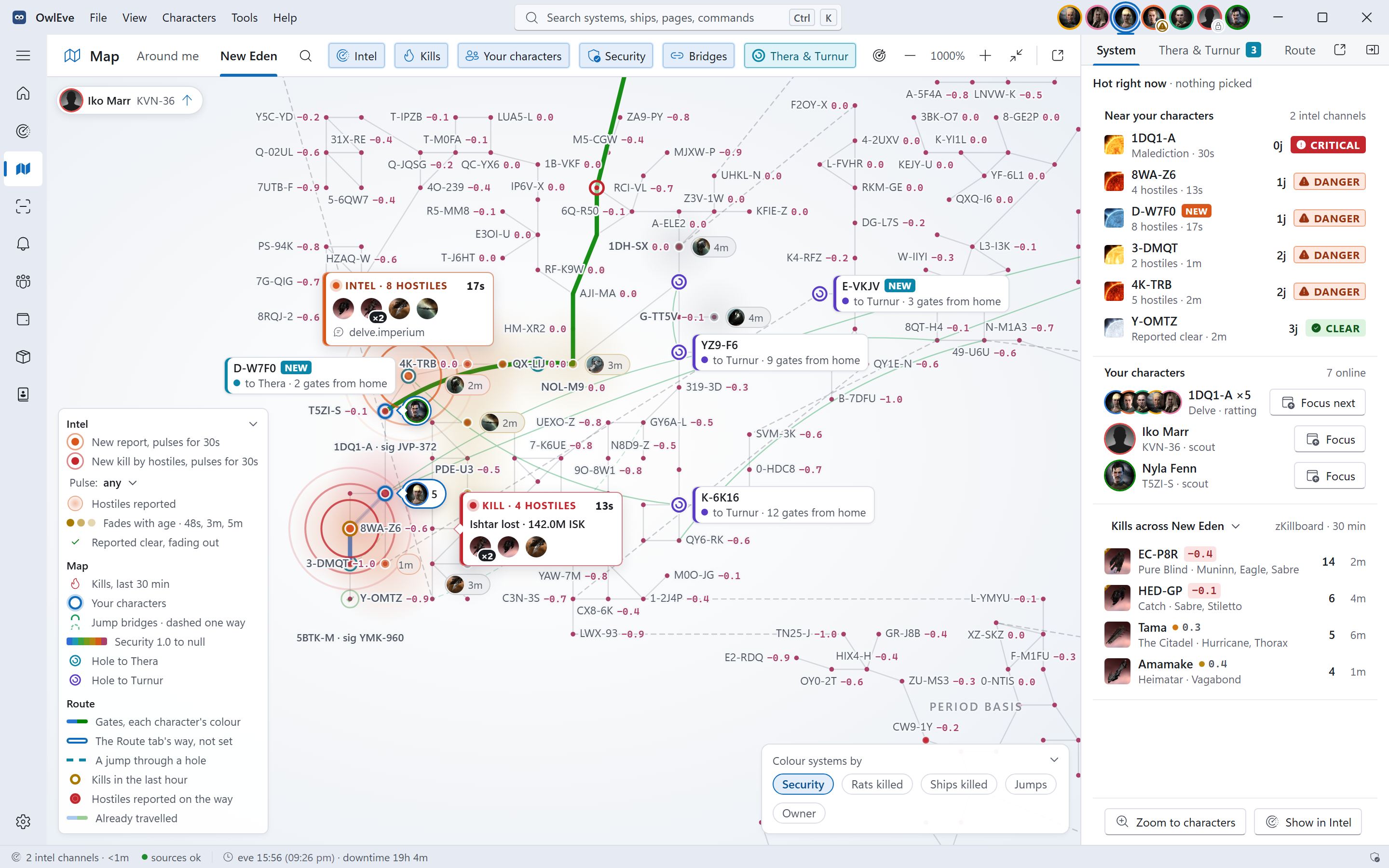
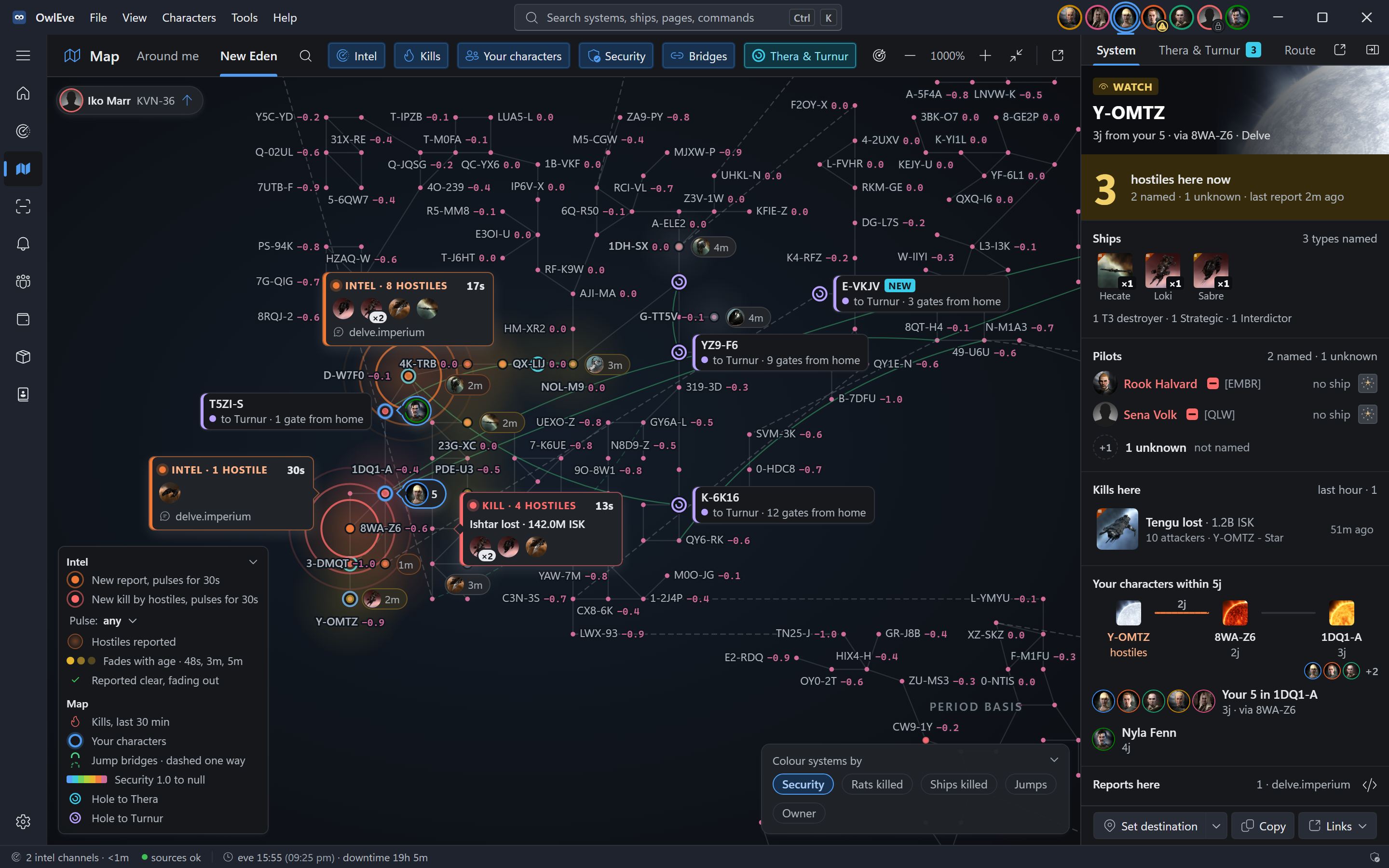
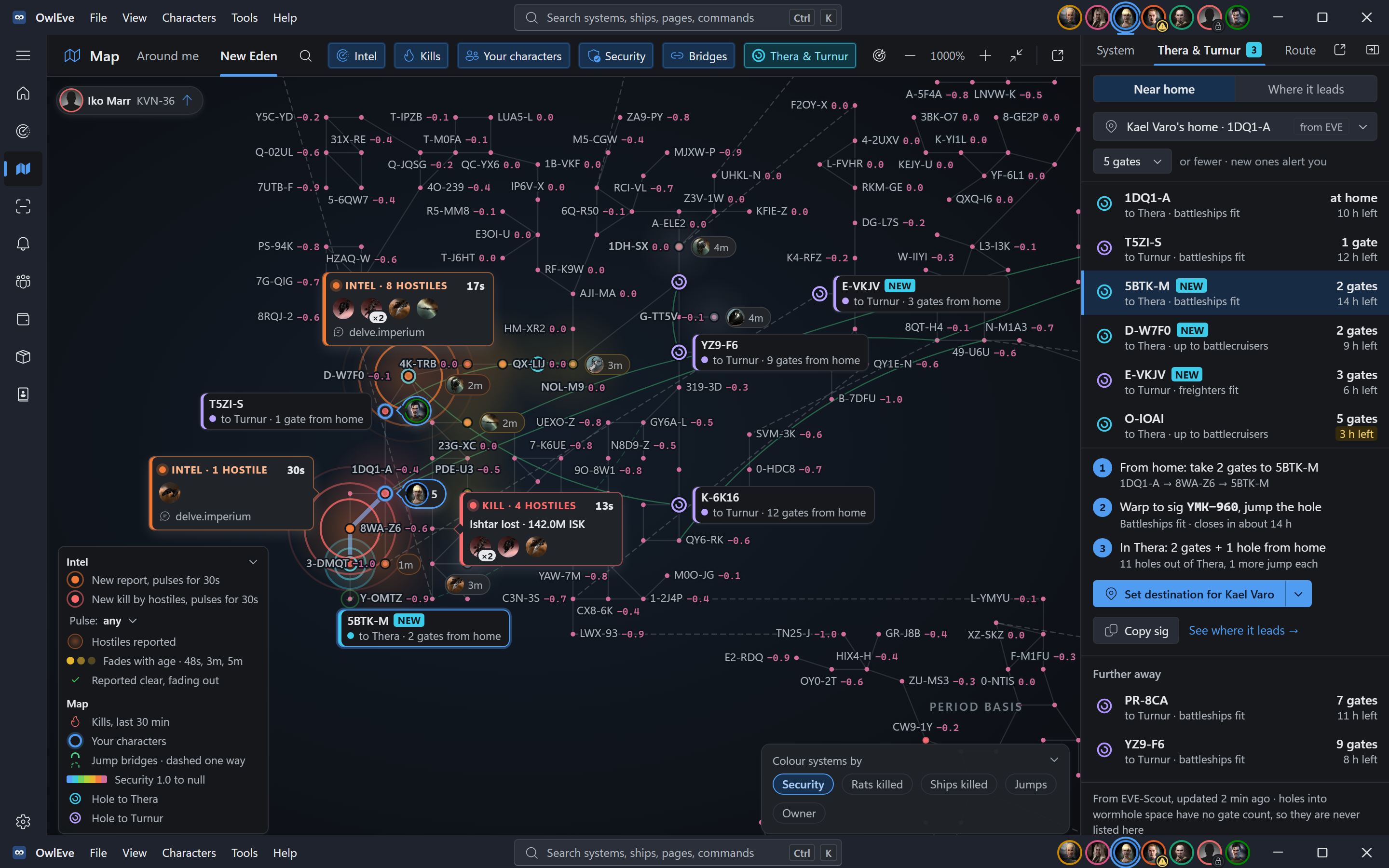
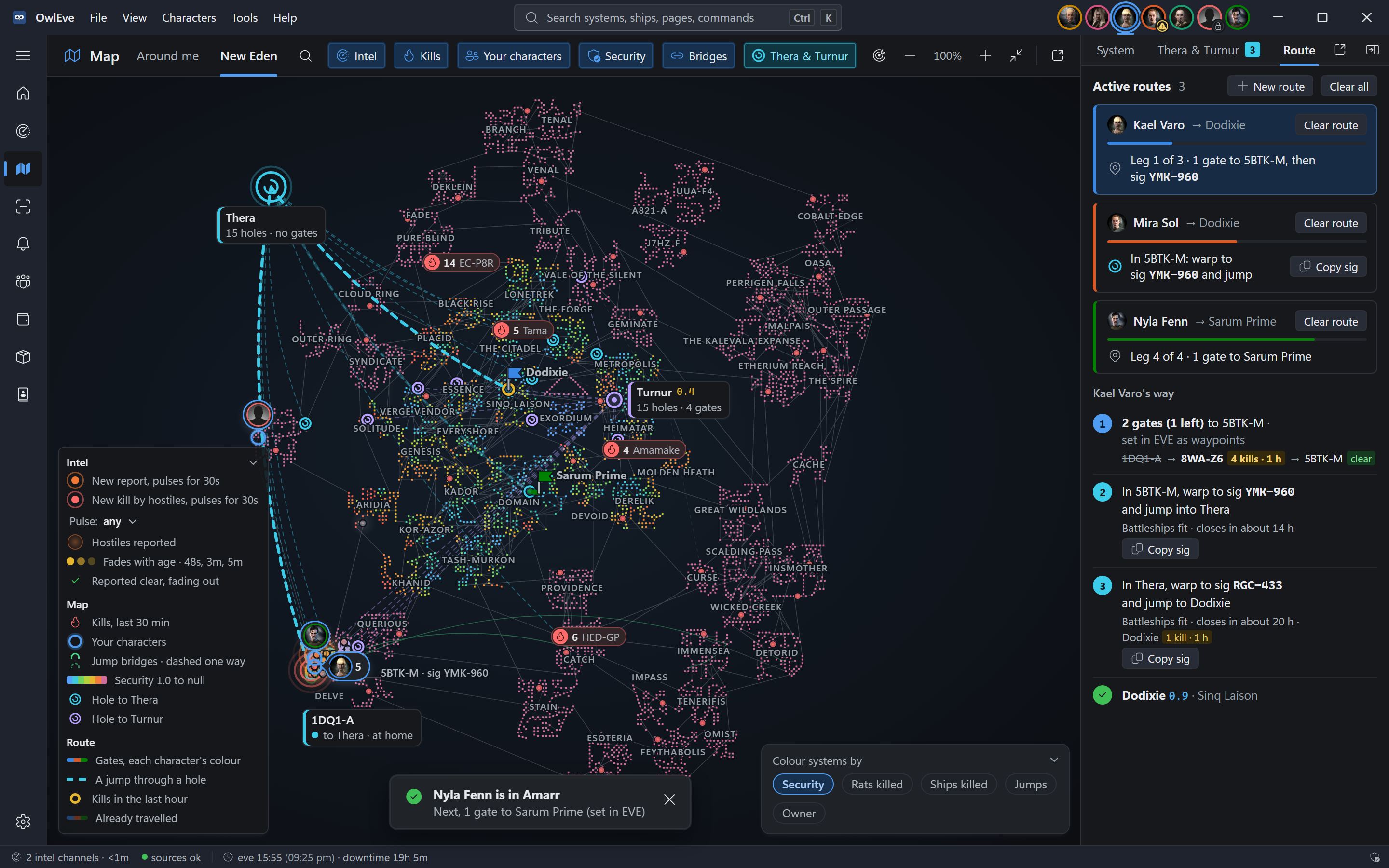
One map to rule them all.
All of New Eden with your characters, live intel, kills, jump bridges, Thera and Turnur on it, and every system one click from its details.
HUD
A HUD that sits over EVE.
A small panel on top of your clients. It never takes a click from the game, and it changes with the danger.
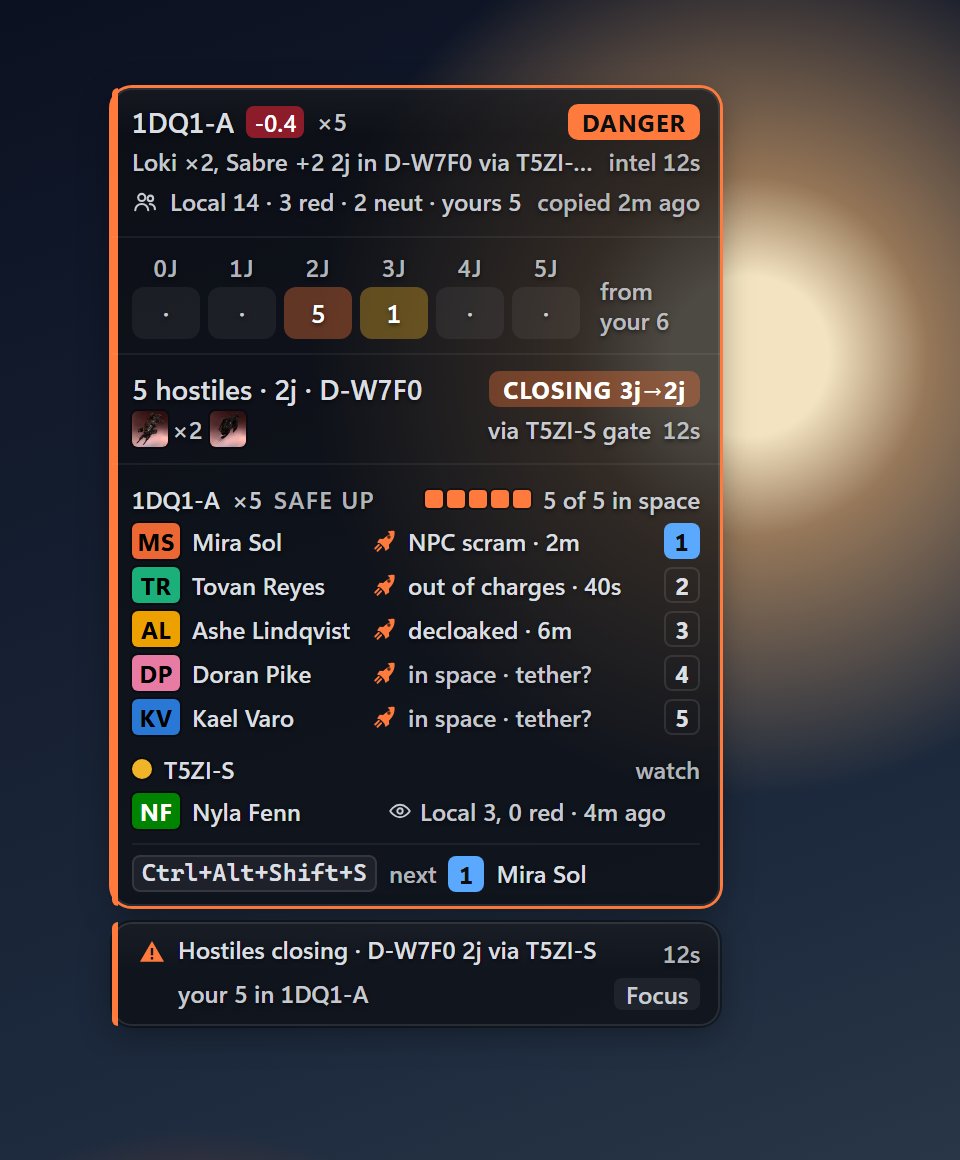
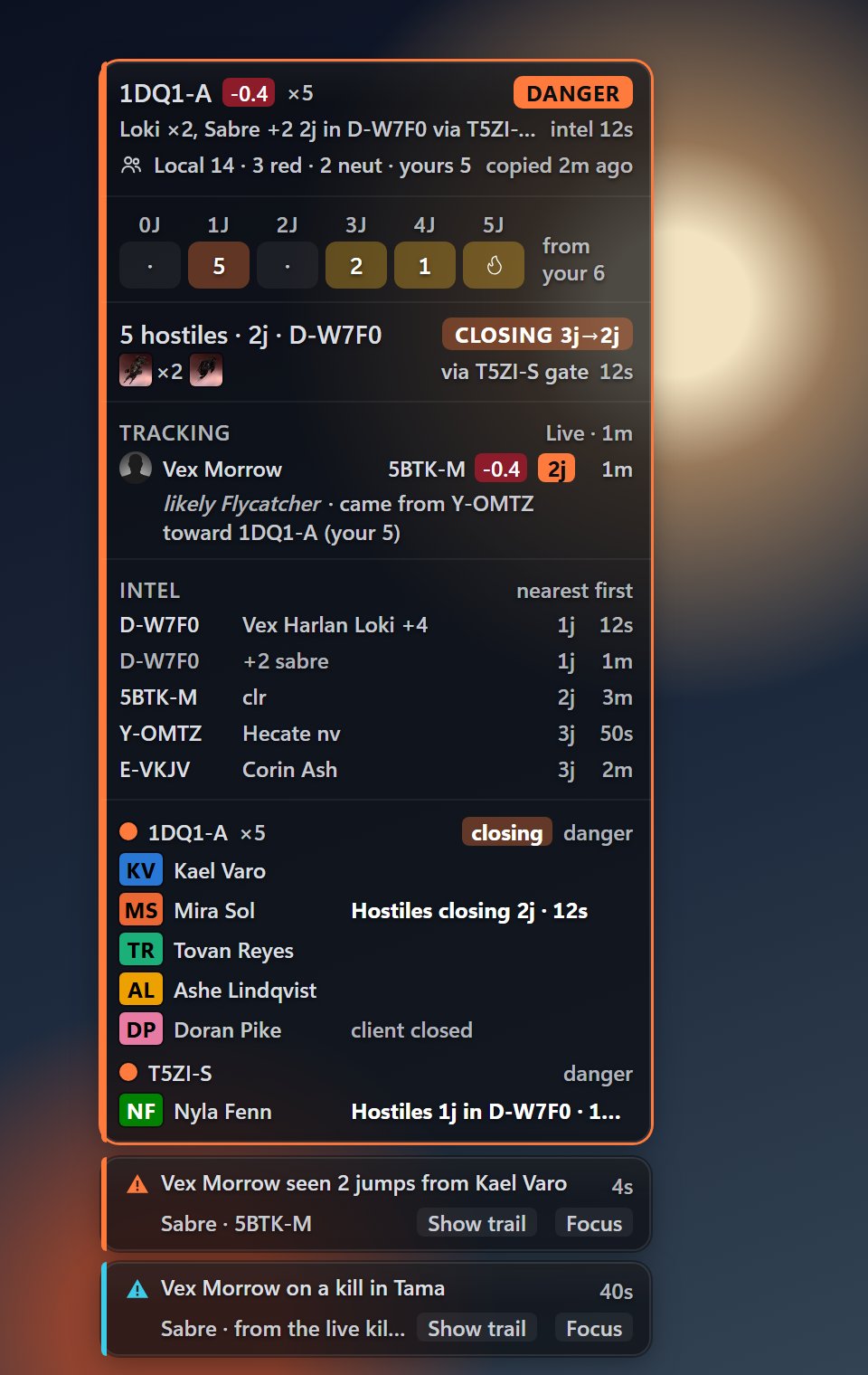
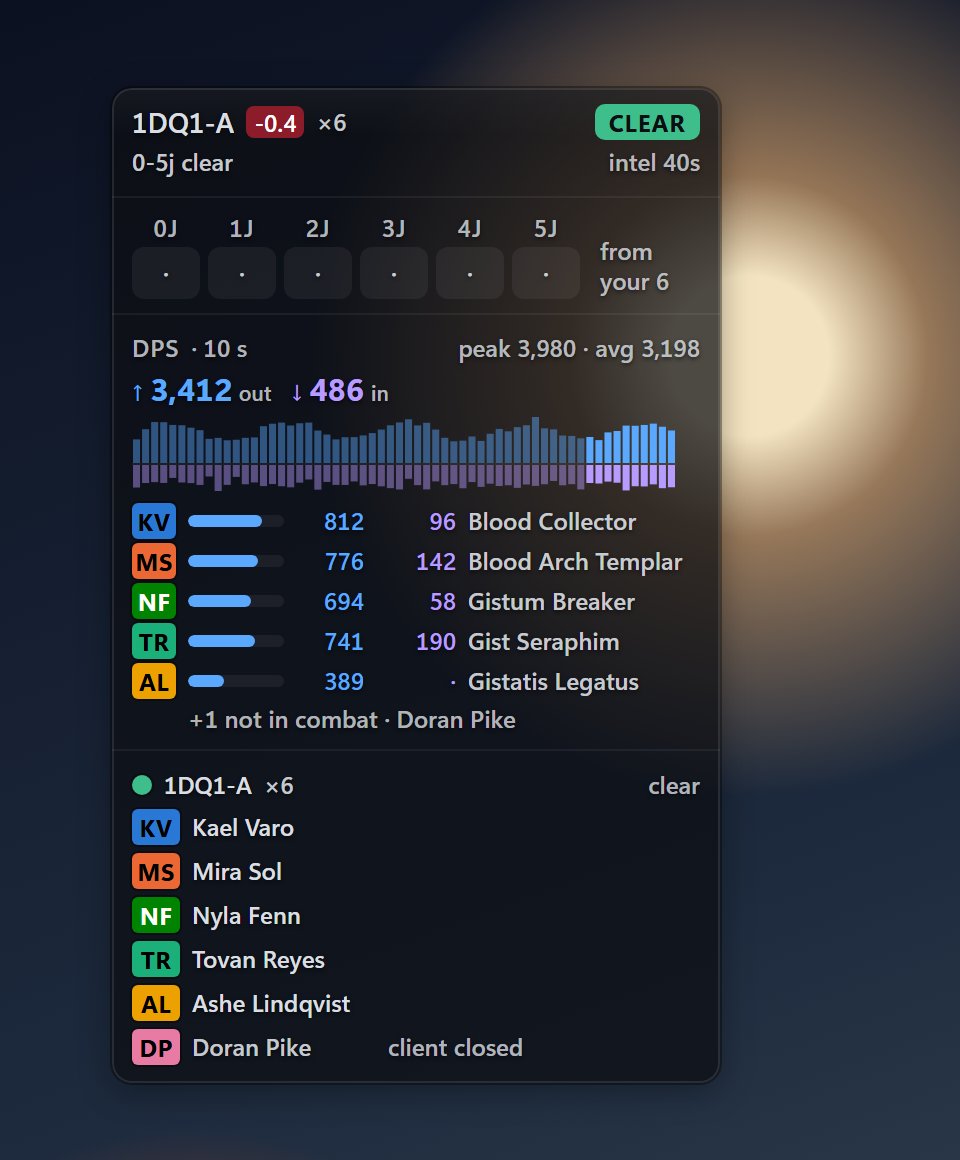
Routes through Thera and Turnur show on the HUD as a strip of stops with the sig to copy. Client previews show your other clients as live thumbnails that Windows draws itself: OwlEve never sees their pixels.
Scan
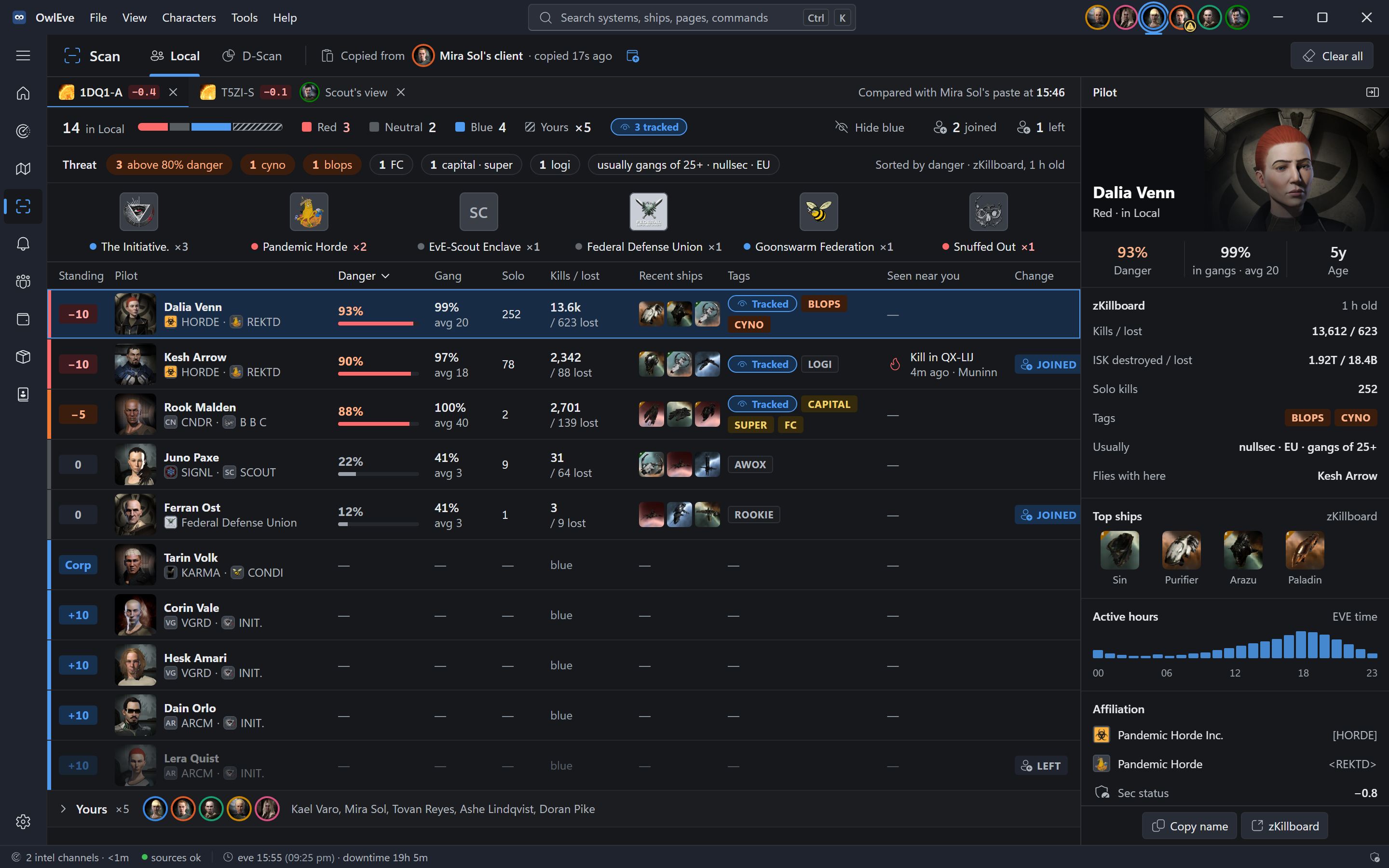
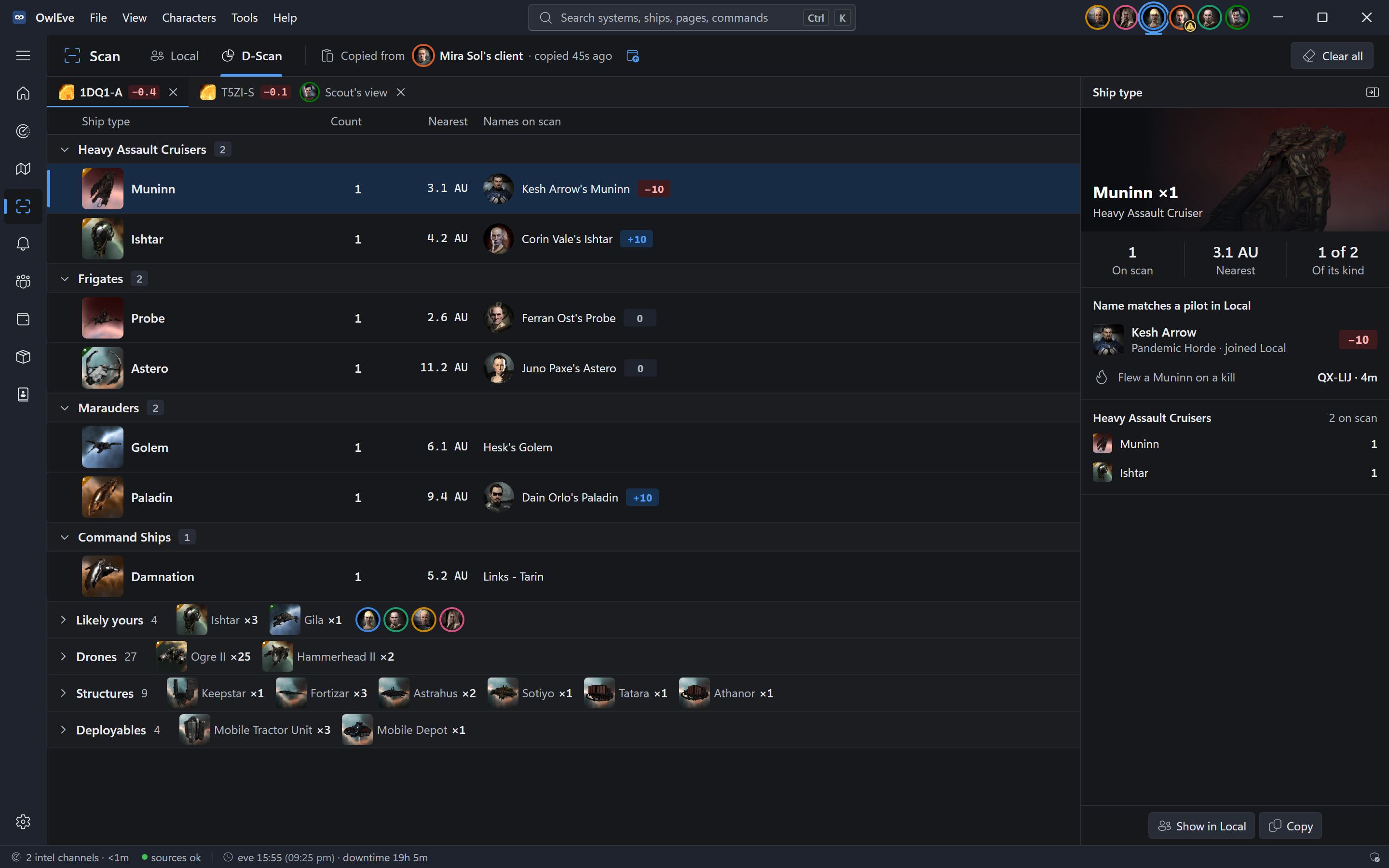
Copy Local. Know who is there.
Select Local or D-Scan in EVE, press Ctrl+C, and OwlEve reads the copy.
Alerts
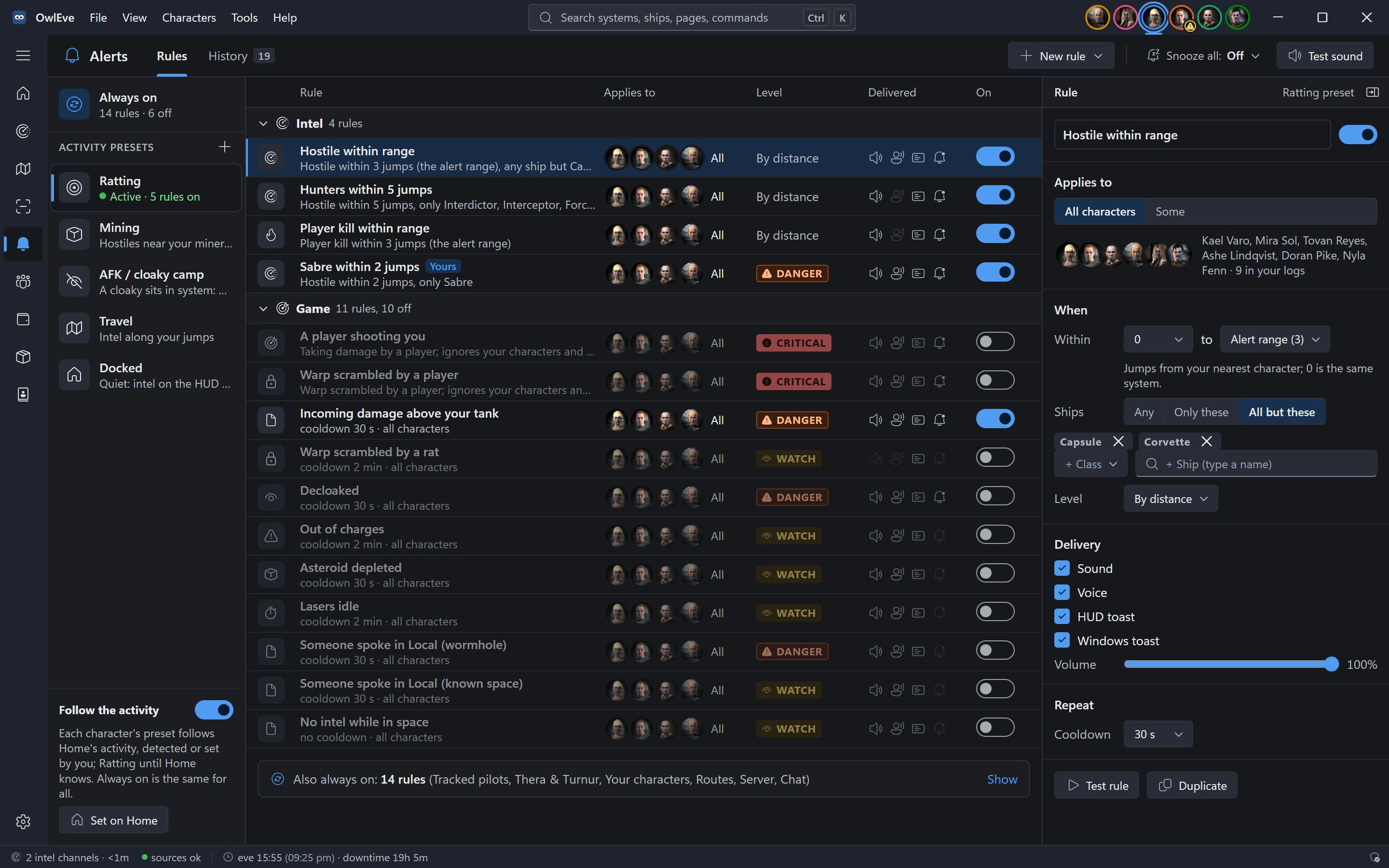
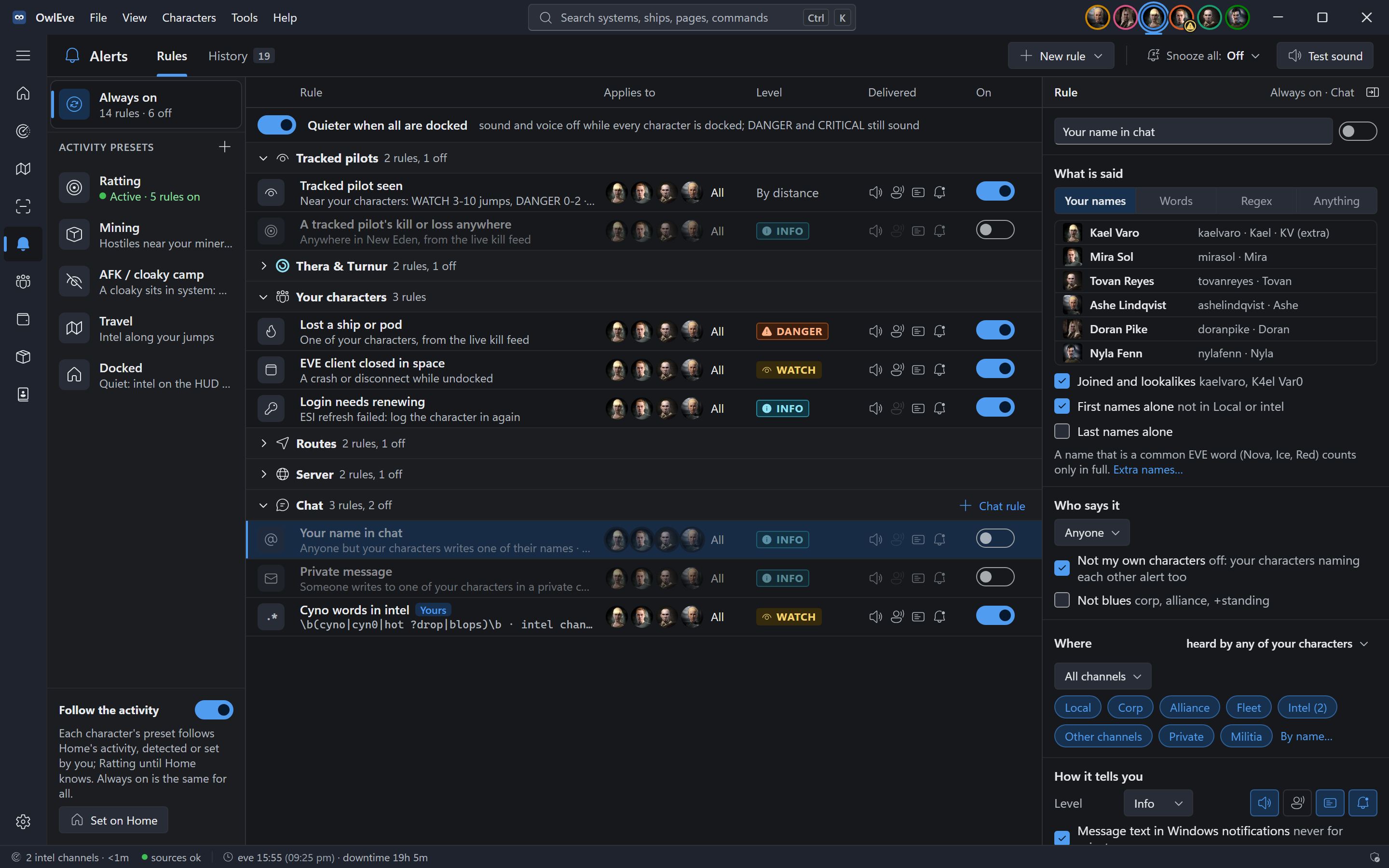
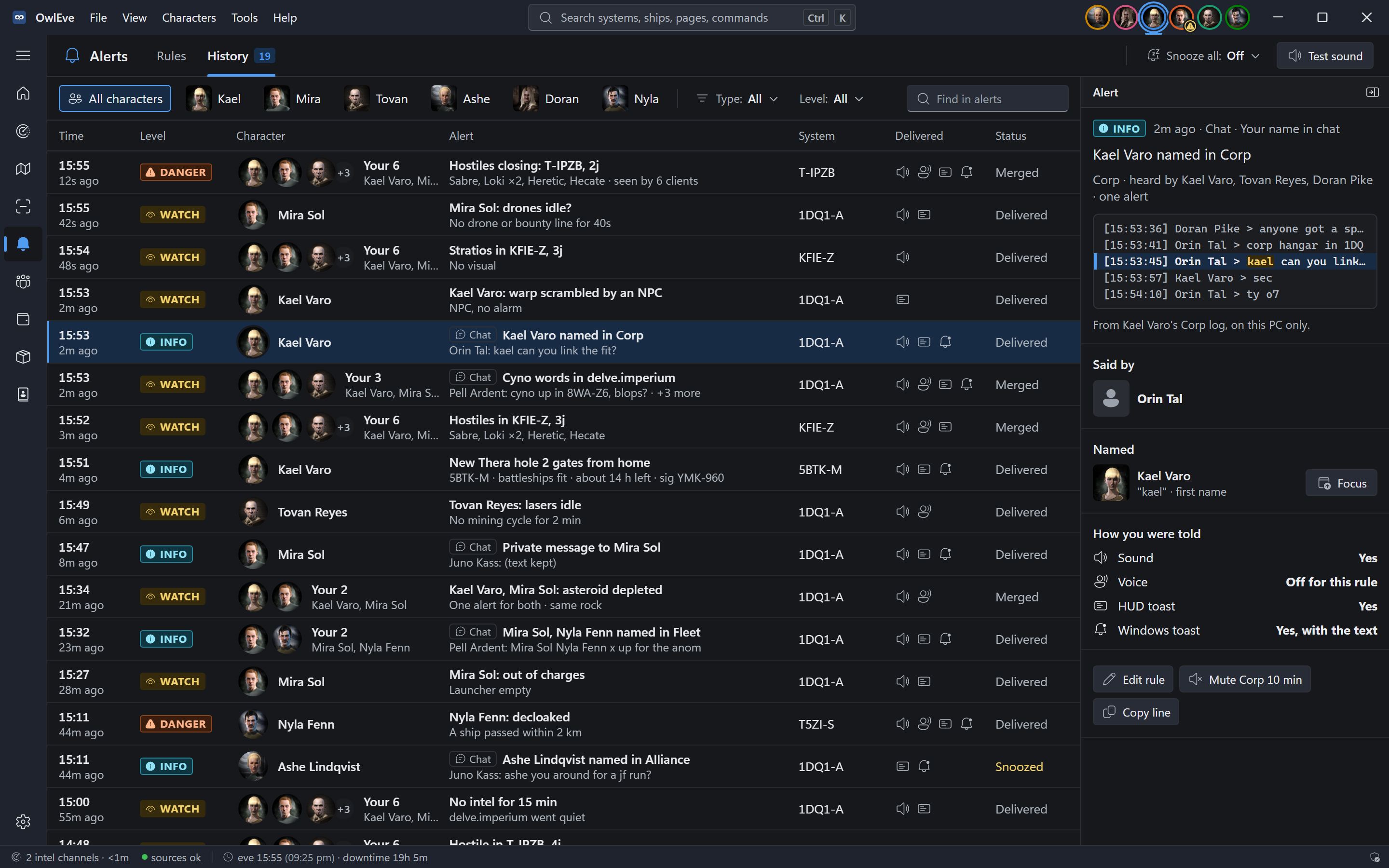
Alerts that name the character.
From intel, the game logs, the kill feed and chat: a gang closing, a warp scramble, a lost ship, a client closed in space, your name in Corp chat.
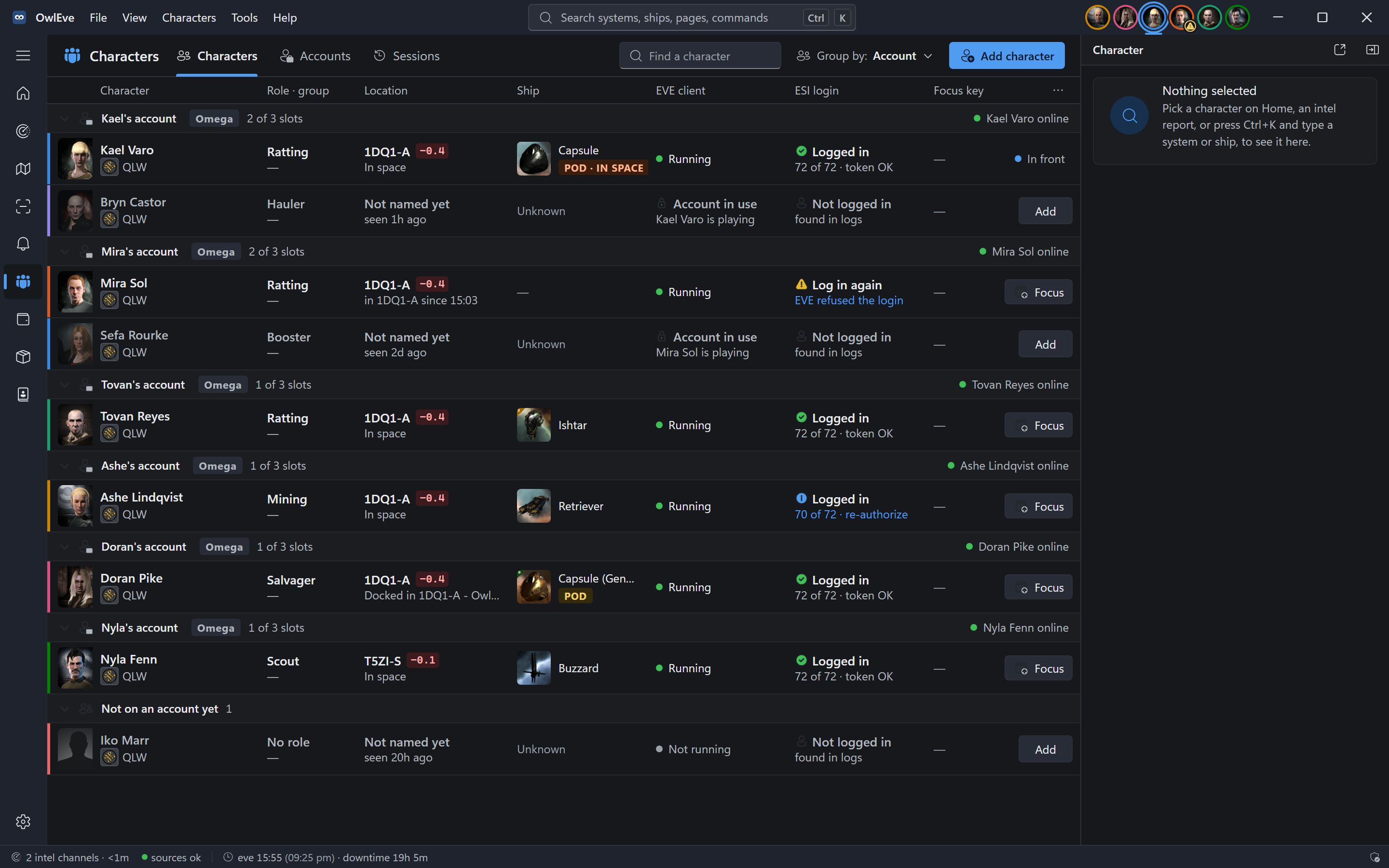
Characters
Accounts, clients and logins, sorted.
Every character OwlEve has seen in your logs, with what each one is doing right now.
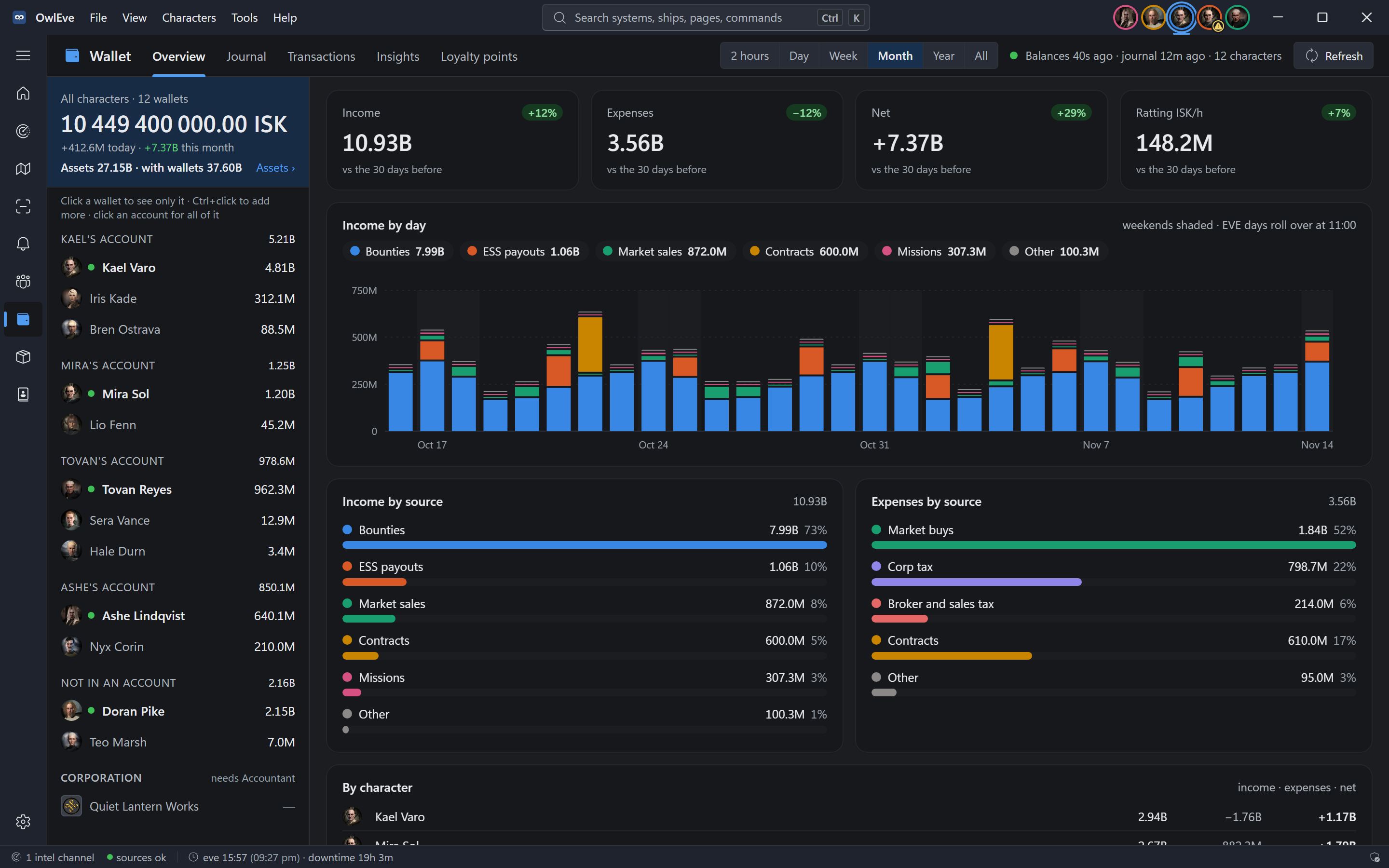
Wallet
Every wallet, one number.
All your characters' ISK together, from the journal ESI keeps and every copy OwlEve has made of it.
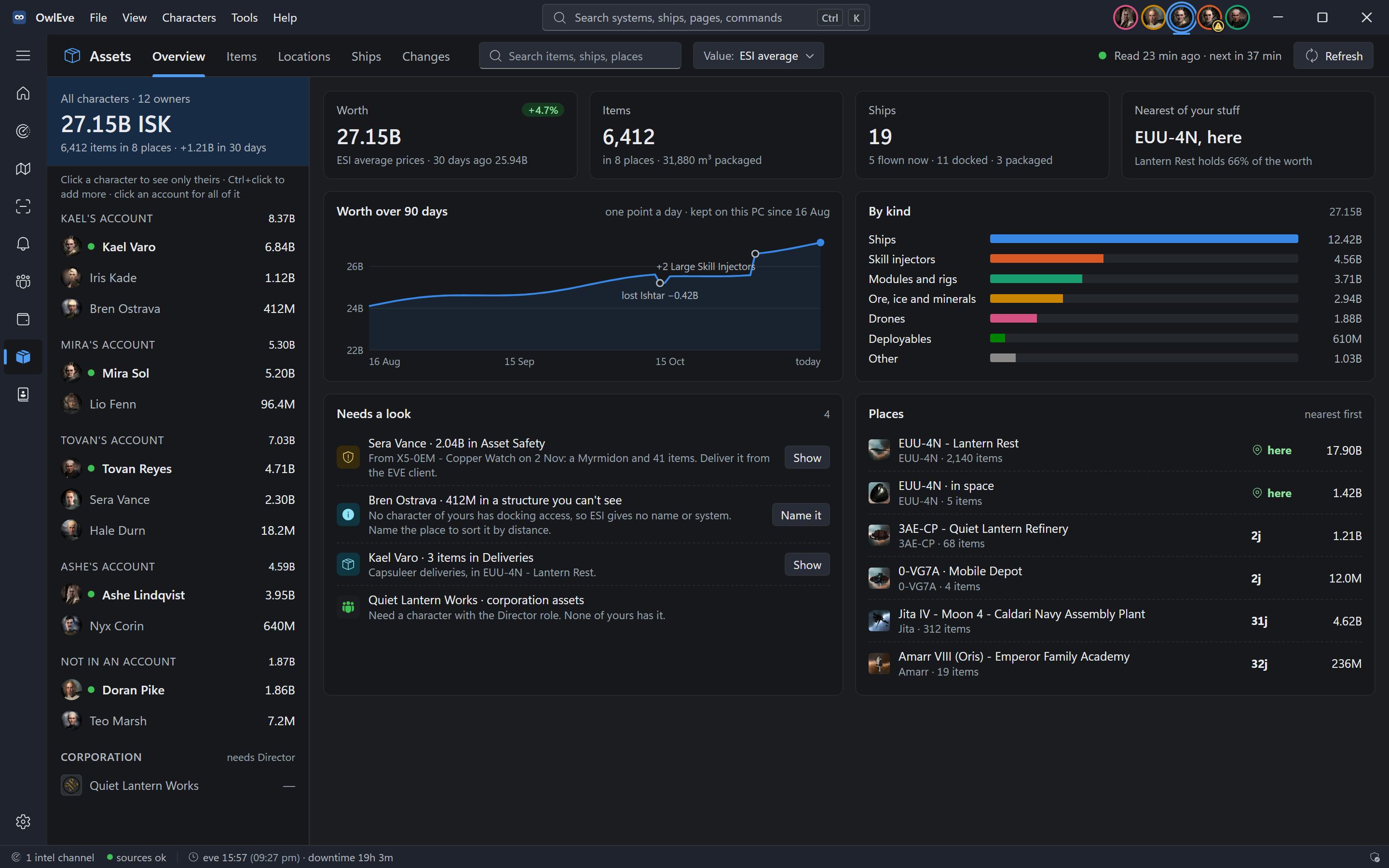
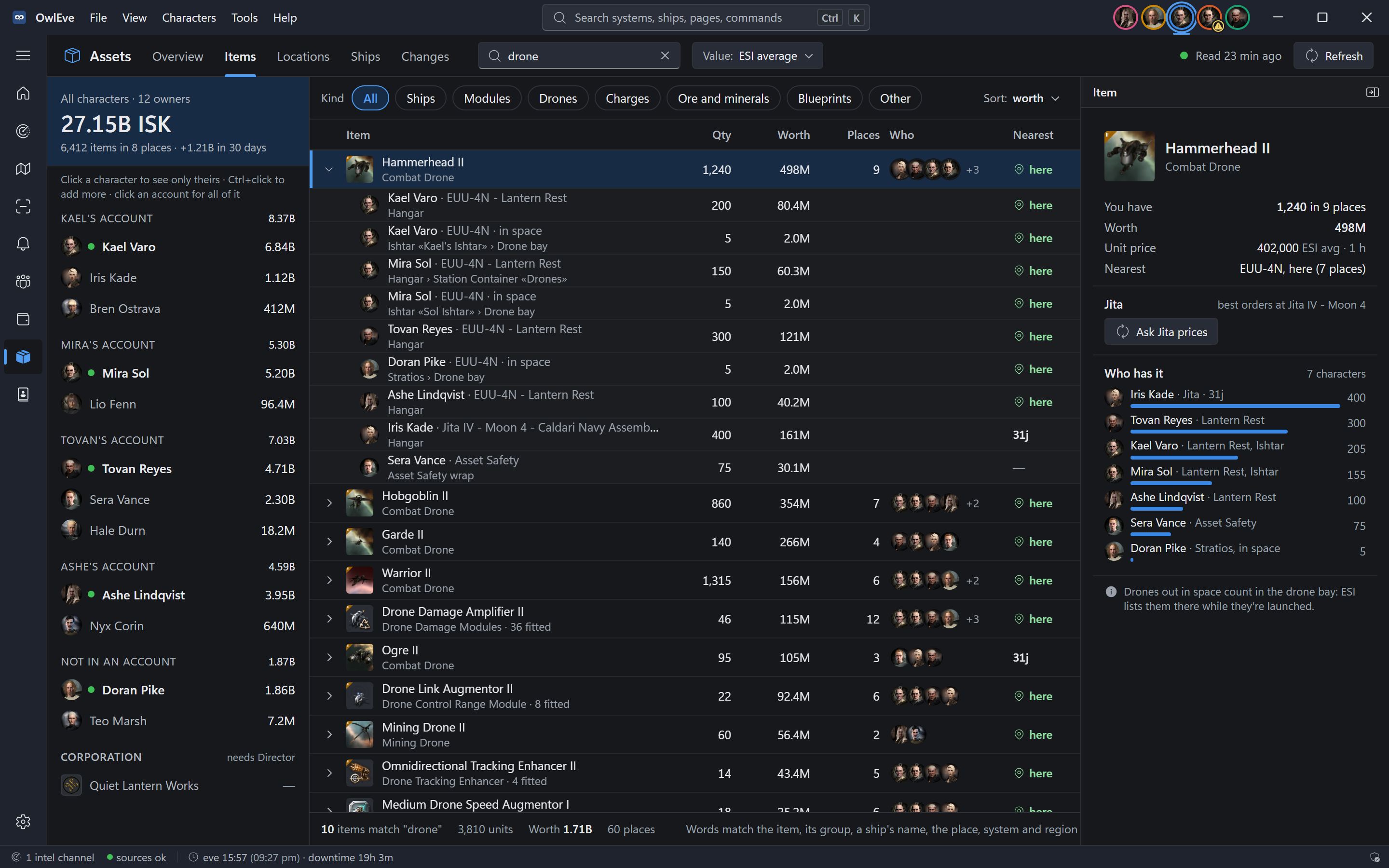
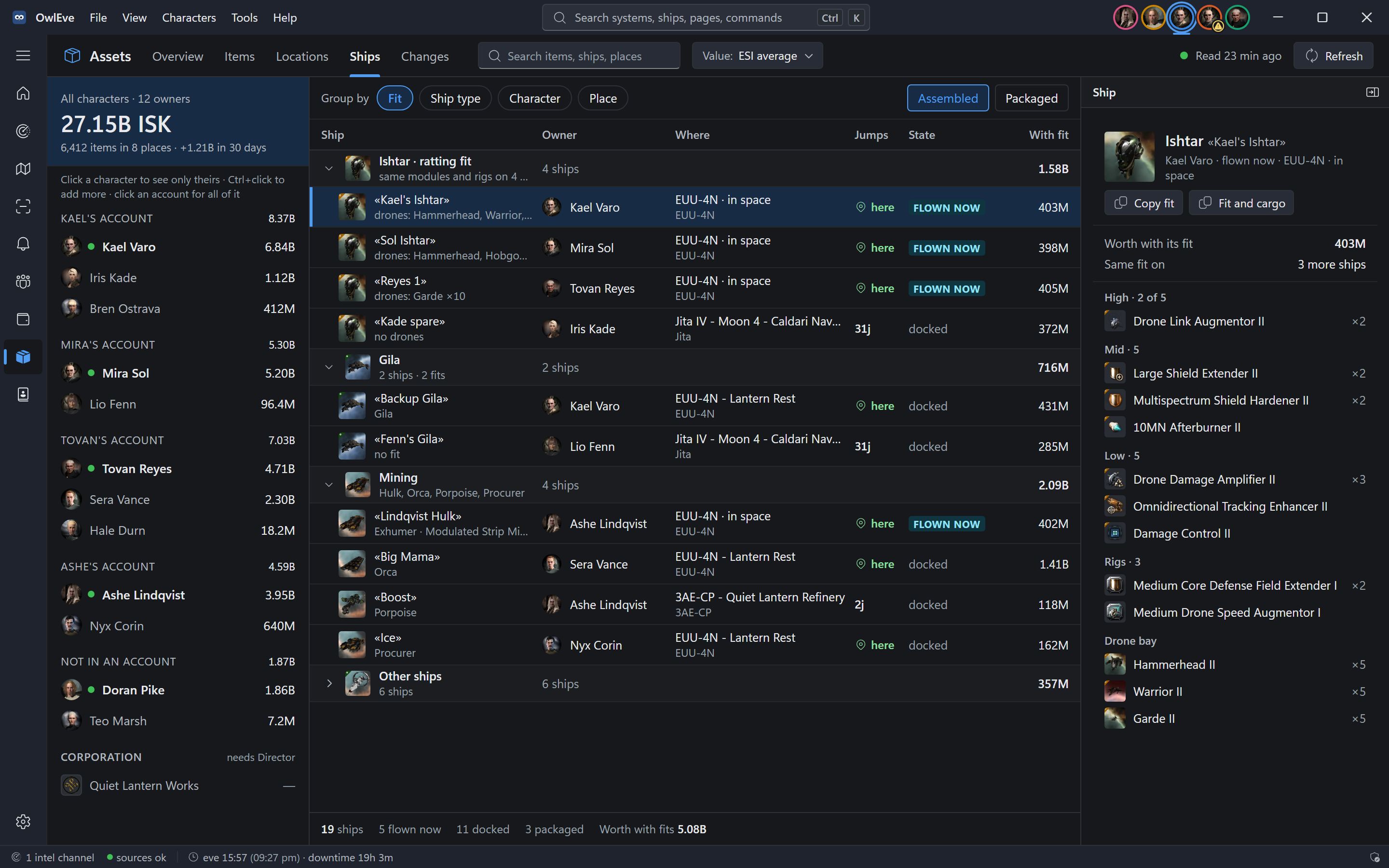
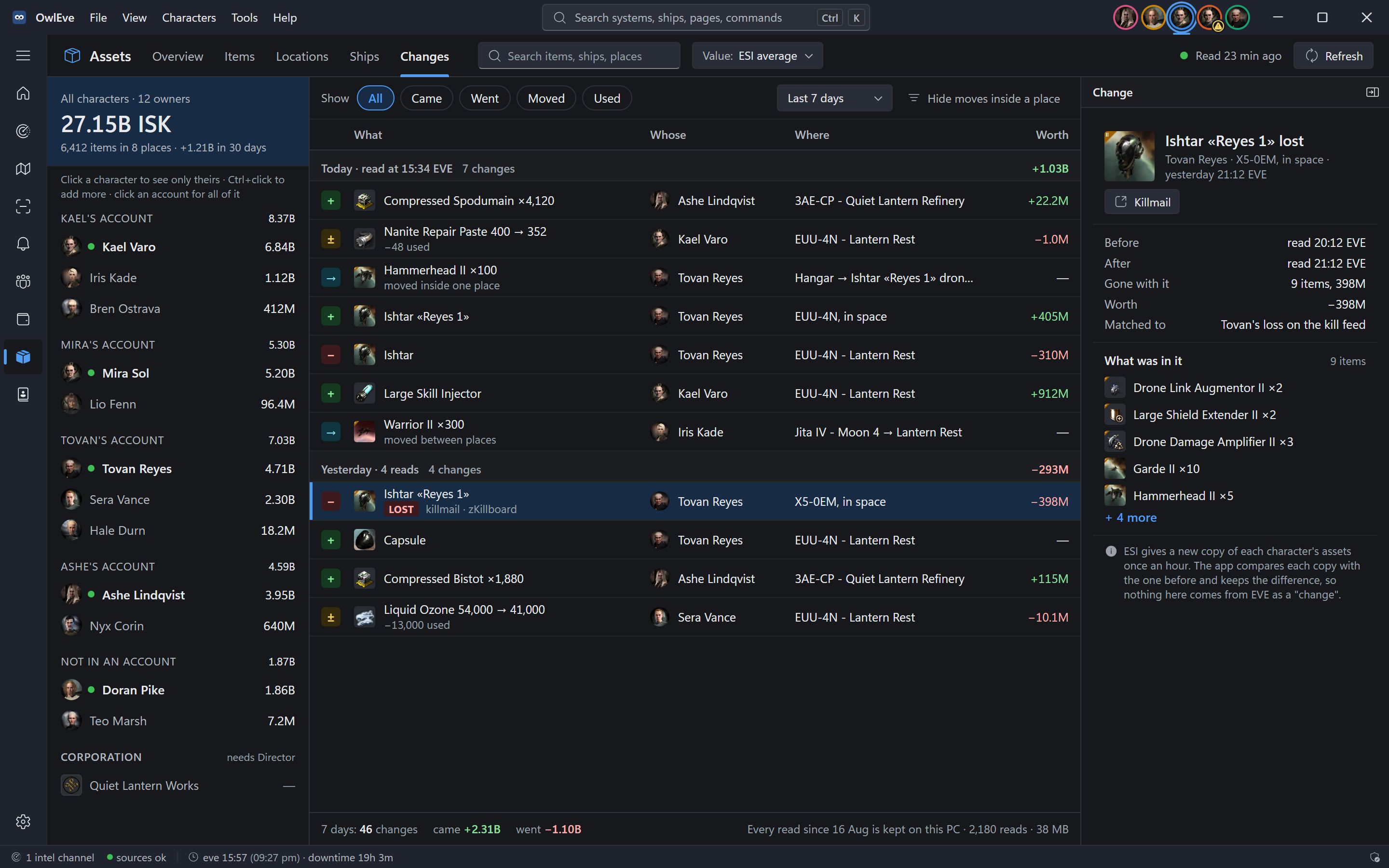
Assets
Everything you own, in one list.
Every character’s items from ESI, read once an hour: what it is worth, where it sits, which ship is fitted how, and what changed since the last read.
Contacts
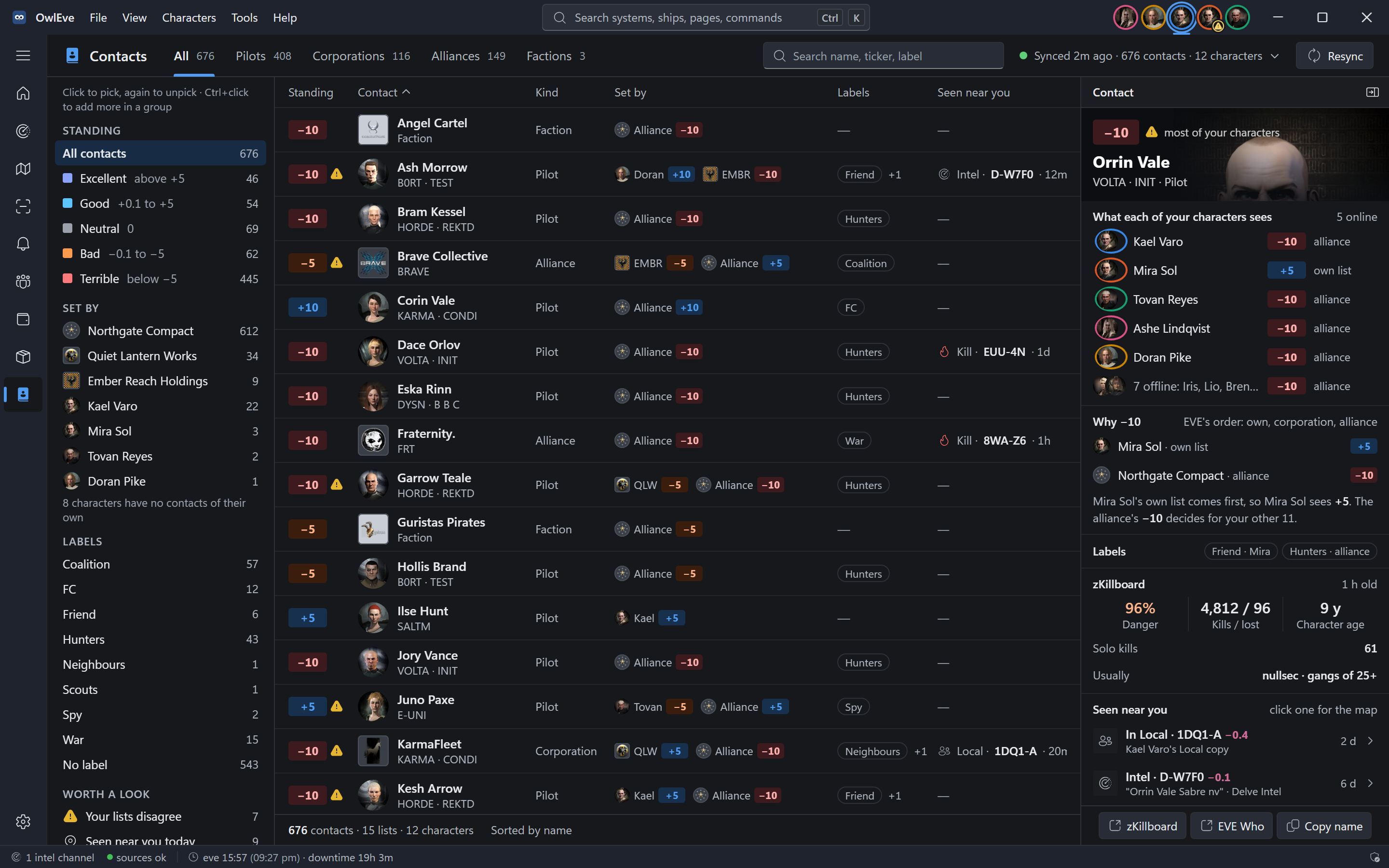
Friend or foe, from every list.
The contacts your characters, corporations and alliances have set, all in one place. The same standings colour Local and intel across OwlEve.
AI apps
Ask your AI about your characters.
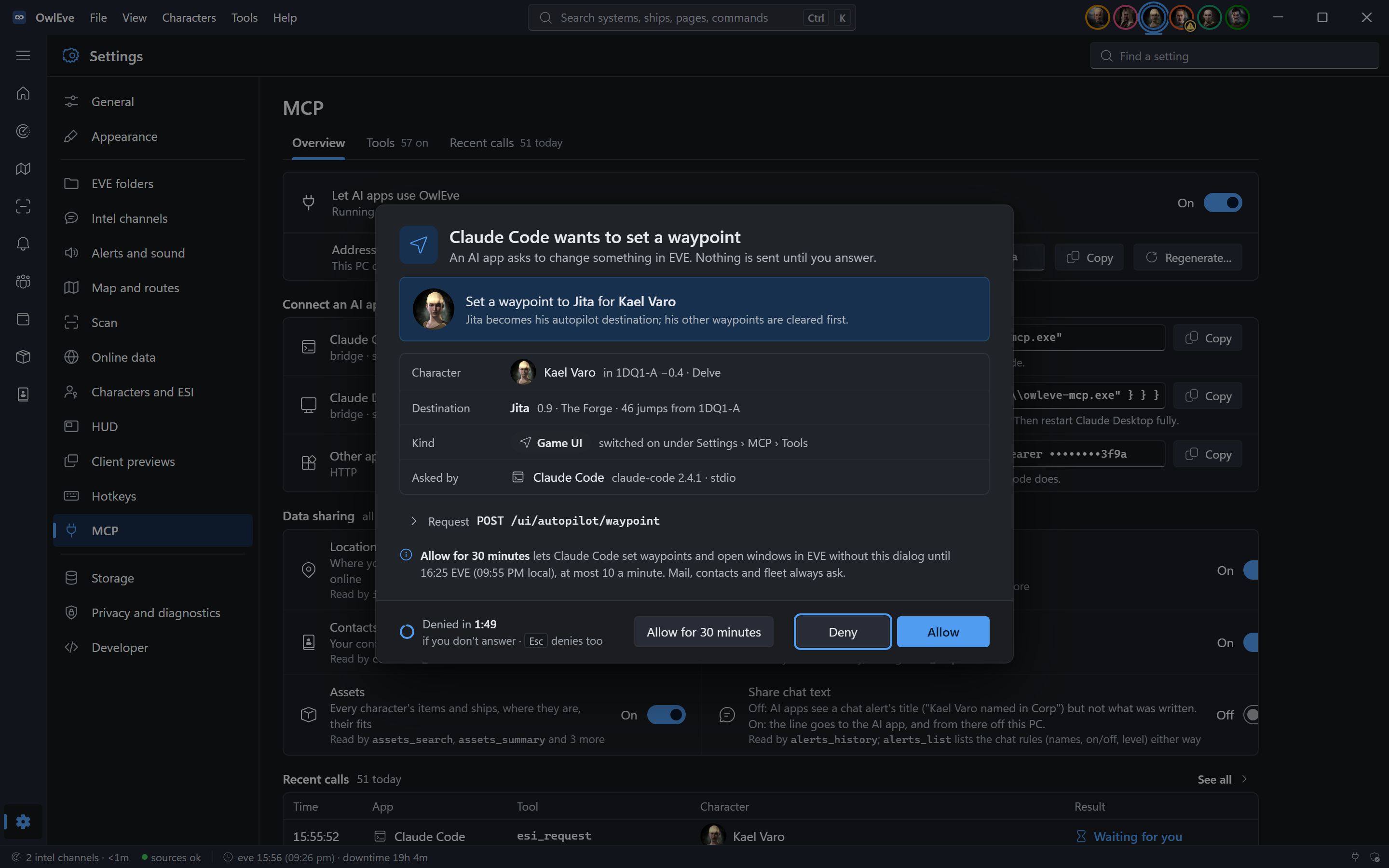
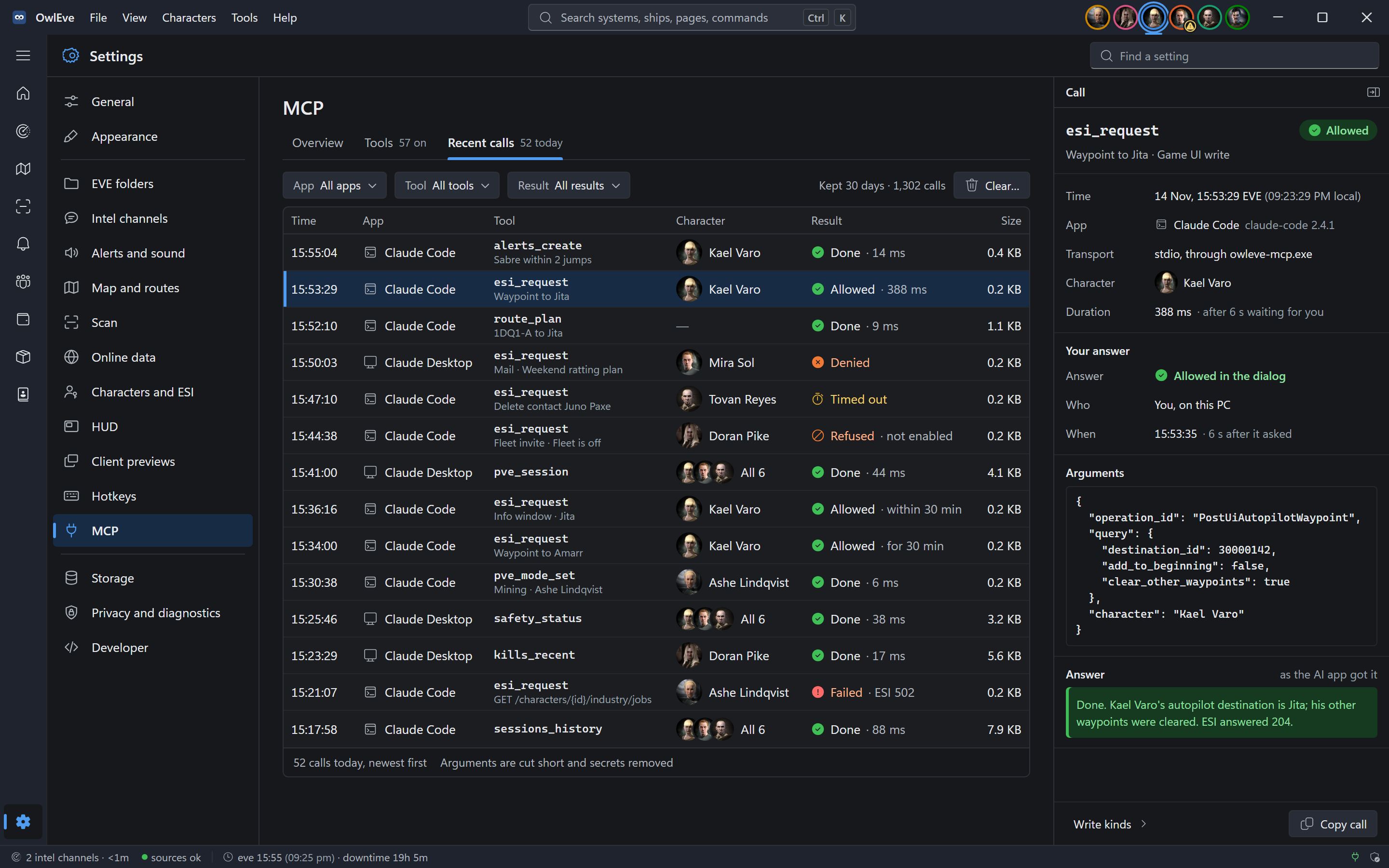
OwlEve has an MCP server on your PC. Claude Code, Claude Desktop and other MCP apps can read your intel, sessions, wallets and routes, and set alerts or waypoints.
What OwlEve reads, and what it never does.
It works only from what EVE writes to disk and what is public, so nothing it does touches the game client.
It reads
- Your EVE chat and game logs, in Documents
- ESI, after you log in on EVE's own login page
- zKillboard's and EVE-Scout's public feeds
- The clipboard, when you copy Local or D-Scan
- EVE's window titles, to tell your clients apart
It never
- Sends keys or clicks to EVE
- Repeats input from one client to another
- Reads the game's memory or network traffic
- Captures or reads your screen
- Sends your data anywhere: there is no OwlEve server
And the small things.
- Ratting and mining, counted
- Sessions from the game logs: bounty ticks, mining cycles, payouts and ISK an hour per character.
- History, kept
- Sessions, payouts, kills, intel, Local copies and alerts stay on your PC, forever unless you clear them.
- Ctrl+K for everything
- Find any system, pilot, ship, page or command from the keyboard.
- Disk use, in the open
- Settings shows what OwlEve keeps on disk and how fast it grows, and clears caches, old logs and backups when you ask.
- Client previews
- Live thumbnails of your other clients, drawn by Windows, with Focus one click away.
- Right-click anything
- Systems, pilots, kills and rows all have a menu, with the same items wherever they appear.
- Set up in two minutes
- A seven-step guide on first start, then Getting started on Home ticks off five things to try.
- Dark and light
- Both themes, and a native Windows title bar with your characters' portraits.
Questions.
Is OwlEve allowed by CCP?
It only uses what third-party tools are meant to use: log files, ESI, public feeds, the clipboard and window titles. It never modifies, automates or reads the client. It is a fan-made app made under the EVE Developer License Agreement, and it is not made or endorsed by CCP.
Does Focus client count as input broadcasting?
No. It brings that character’s window to the front, the way Alt+Tab does, after your click or hotkey. Nothing is typed or clicked in EVE, and nothing is copied from one client to another.
Do I have to log in every character?
No. Each client writes its own logs, so where your characters are, intel, alerts and the HUD all work without a login. Logging in adds the wallet, contacts and standings, so your blues stop counting as hostiles, and lets you set destinations from the map.
Will my own characters or corp mates set off alerts?
No. Your characters and your blues (your corporation, alliance and positive standings) never count as hostiles, in intel, kills or the threat level. “A player shooting you” ignores them too, so smartbombing with your own characters stays quiet.
What if the intel channel goes quiet?
The HUD says NO INTEL instead of CLEAR when no channel has reported, so silence is never shown as safe. Kills from zKillboard still come in.
Why doesn’t the HUD show over EVE?
Run EVE in Window or Fixed window mode. In exclusive Fullscreen, Windows lets nothing draw on top of the game. The HUD never takes keyboard focus, and it can be click-through.
A character doesn’t show up. Why?
OwlEve finds your characters in EVE’s chat logs, so “Log chat to file” has to be on in EVE’s settings. The checklist on Home tells you when no logs were written today.
Why does Windows warn me about the installer?
The installer isn’t code-signed yet, so SmartScreen shows “Windows protected your PC”. Click More info, then Run anyway. Each release lists its SHA-256 checksum so you can check the file first.
Can an AI app do things in EVE?
Only what you switch on. MCP is off until you turn it on, and EVE writes come in four kinds (waypoints and windows, character data, mail, fleet), each with its own switch. Every write waits for you to click Allow in OwlEve.